hEX refresh
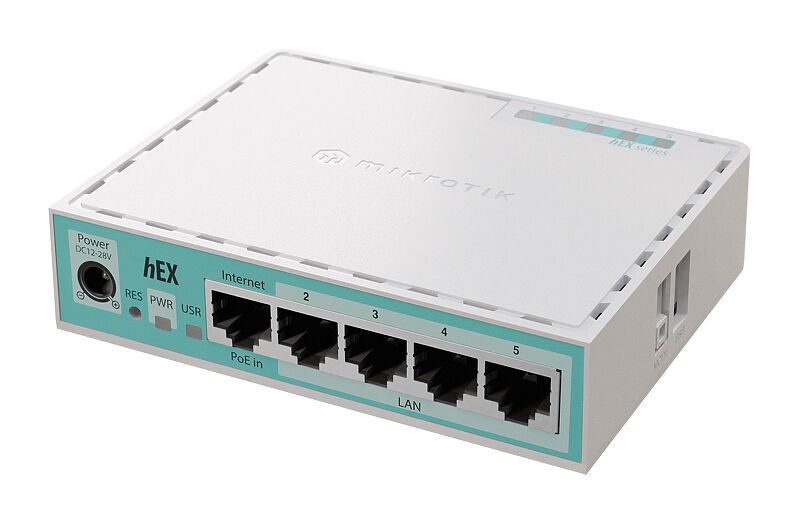
The classic hEX refresh: same price, twice the performance! The staple of affordable routing for every home is back – stronger than ever due to the modern ARM CPU and extra RAM. See the hEX refresh product page for full specifications and brochures.
hEX refresh (E50UG)
Safety Warnings
Before you work on any MikroTik equipment, be aware of the hazards involved with electrical circuitry and be familiar with standard practices for preventing accidents. The installer should be familiar with network structures, terms, and concepts. Use only the power supply and accessories approved by the manufacturer, and which can be found in the original packaging of this product. This equipment is to be installed by trained and qualified personnel, as per these installation instructions. The installer is responsible for making sure, that the Installation of the equipment is compliant with local and national electrical codes. Do not attempt to disassemble, repair, or modify the device. This product is intended to be installed indoors. Keep this product away from water, fire, humidity, or hot environments. We cannot guarantee that no accidents or damage will occur due to the improper use of the device. Please use this product with care and operate at your own risk! The socket-outlet shall be installed near the equipment and shall be easily accessible. In the case of device failure, please disconnect it from power. The fastest way to do so is by unplugging the power adapter from the power outlet.
First use
- Choose your powering solution, please see Reset button.
Extension slots and ports
Product code: E50UG.
- CPU: EN7562CT 950 MHz.
- CPU architecture: ARM.
- CPU core count: 2.
- Size of RAM: 512 MB.
- RAM type: DDR3L.
- Storage: 128 MB, NAND.
- Number of 1G Ethernet ports: 5.
- USB port: 1 (2.0 type A).
- PoE-in: Ether1.
- Operating system RouterOS: (License level 4).
- Switch chip model: EN7562CT.
- Operating temperature: -40°C to +70°C.
- Dimensions: 113 x 89 x 28 mm.
- IP20.
Buttons and jumpers
Reset button
The RouterBOOT reset button has the following functions. Press the button and apply the power, then:
- Release the button when a green LED starts flashing, to reset RouterOS configuration to defaults.
- Release the button after LED is no longer lit to cause a device to look for Netinstall servers (required for reinstalling RouterOS over the network). Regardless of the above option used, the system will load the backup RouterBOOT loader if the button is pressed before power is applied to the device. Useful for RouterBOOT debugging and recovery.
Mode button
The action of the mode buttons can be configured from RouterOS software to execute any user-supplied RouterOS script. You can also disable this button. The mode button can be configured in RouterOS menu /system routerboard mode-button
Accessories
The package includes the following accessories that come with the device:
- DC ⎓ EU/US Switching Power Supply 24 V, 0.38 A, 9 W, Level VI, cable:1.5 m.
Specifications
For more information about this product, specification and pictures please visit our web page: https://mikrotik.com/product/hex_2024
Operating system support
The device supports RouterOS v7 and above. The specific factory-installed version is listed in /system resource. Other operating systems have not been tested.