FTC21-ups
FTC21-ups
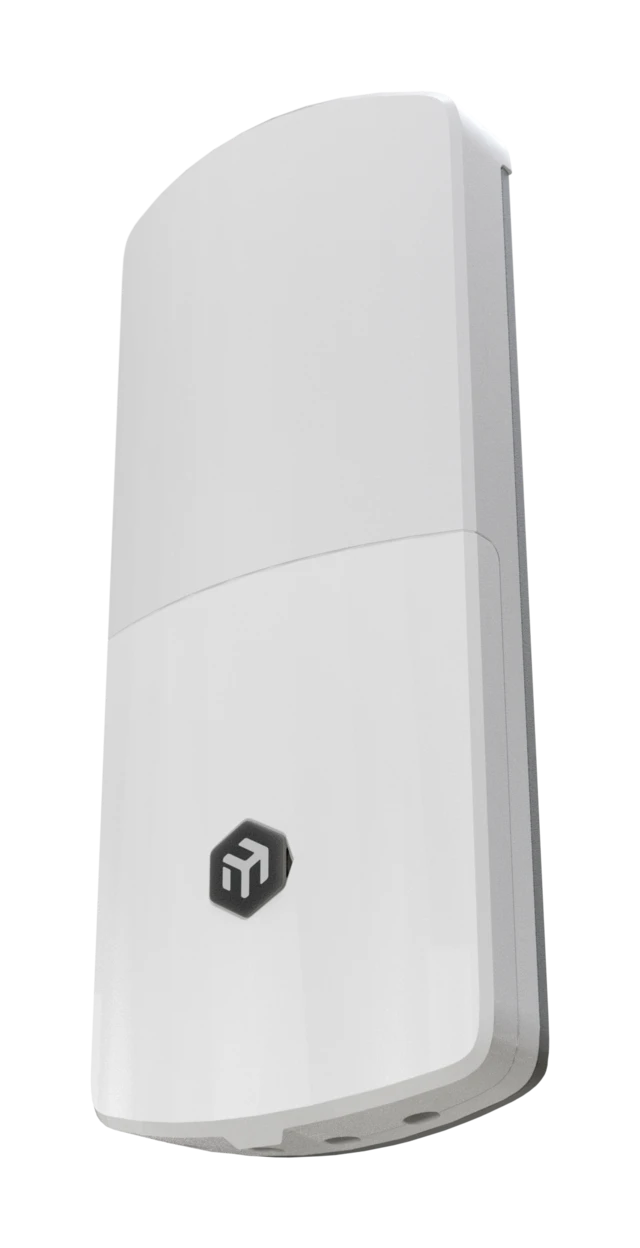
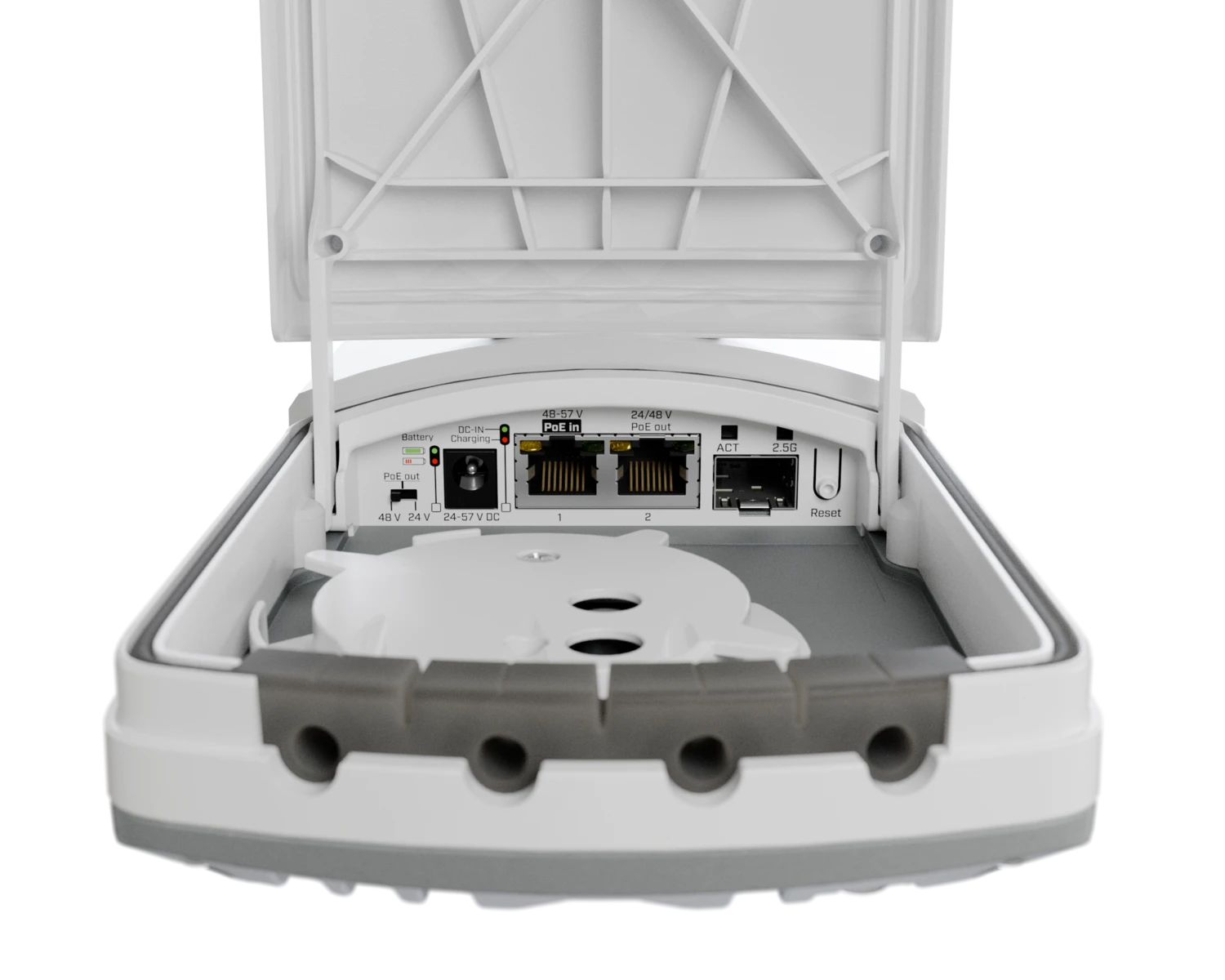
A weatherproof Fiber-to-Copper converter with a 2.5G SFP port and two Gigabit Ethernet ports, including PoE-out on Ether2. Its integrated battery keeps links stable during short power interruptions, preventing unnecessary renegotiations and device reboots. See the FTC21-ups product page for full specifications and brochures.
Safety Warnings
- Before you work on any equipment, be aware of the hazards involved with electrical circuitry, and be familiar with standard practices for preventing accidents.
- Ultimate disposal of this product should be handled according to all national laws and regulations.
- The Installation of the equipment must comply with local and national electrical codes.
- This product is intended for outdoor use, mounted on a pole or wall. Please read the mounting instructions carefully before beginning installation. Failure to use the correct hardware or to follow the correct procedures could result in a hazardous situation for people and damage to the system.
- Use only the power supply and accessories approved by the manufacturer, and which can be found in the original packaging of this product.
- Read the installation instructions before connecting the system to the power source.
- The AC/DC power adapter is intended for indoor use only. The socket-outlet shall be installed near the equipment and shall be easily accessible.
- The device contains a built-in Li-Ion battery. Do not open, damage, or attempt to replace the battery; service and replacement must be performed by authorized personnel only.
- Do not connect devices that require 802.3af/at negotiation to the passive PoE-out port.
- We cannot guarantee that no accidents or damage will occur due to the improper use of the device. Please use this product with care and operate at your own risk!
- In the case of device failure, please disconnect it from power. The fastest way to do so is by unplugging the power adapter from the power outlet.
Quickstart
- Locate the Ethernet and SFP ports;
- Set your IP for PC to
192.168.88.2/24; - Connect the device and power it on:
- Using PoE-in (802.3af/at 48-57 V):
- Connect the device to the included PoE injector with an Ethernet cable to the data+power end;
- Connect the data end of the PoE injector to the computer;
- Connect the power adapter to the PoE injector;
- Using DC jack (24-57 V):
- Use the included power adapter to power up the device with the DC jack;
- Using PoE-in (802.3af/at 48-57 V):
- Open
https://192.168.88.1in a web browser. Use "admin" as the username (no password by default); - Download the latest SwOS Lite from mikrotik.com/download. Upload it in the "Upgrade" tab, then let the device reboot;
- Set a password to secure the device;
- If needed, the device can be mounted on a pole or on a wall;
- The screws with dowels are included in the package.
Mounting
The device can be mounted on a pole or on a wall using the included K-95 fastening set and hose clamp.
To mount the device on a wall:
- Place the bracket at the installation location and mark the drilling points;
- Drill the holes and insert the included dowels if needed;
- Screw the bracket to the wall;
- Mount and align the device on the bracket;
- Unscrew the bottom lid, route the cables through the opening, and connect them to the appropriate ports;
- Close the bottom lid and secure it with the screw.
To mount the device on a pole:
- Attach the bracket to the pole using the included hose clamp;
- Mount and align the device on the bracket;
- Unscrew the bottom lid, route the cables through the opening, and connect them to the appropriate ports;
- Close the bottom lid and secure it with the screw.
When mounting outdoors, ensure that all cable openings face downwards. The IP rating of this device is IP67. Use Cat5/6 cabling and connect the case grounding properly.
Powering
The device has two DC inputs:
- DC jack accepts 24-57 V DC;
- Ether1 accepts 802.3af/at PoE-in, 48-57 V DC.
The maximum power consumption is 28 W. Without attachments, it is 3 W.
Connecting to a PoE Adapter
- Connect the Ethernet cable from the device to the PoE + DATA port of the PoE adapter;
- Connect an Ethernet cable from your local network (LAN) to the DATA port of the PoE adapter;
- Connect the power cord to the adapter, then plug it into a power outlet.
PoE Output
Ether2 provides passive PoE-out. The output voltage is selected with a hardware switch: 24 V or 48 V. The output is not negotiated 802.3af/at.
- Low voltage PoE-out current limit: 0.625 A.
- High voltage PoE-out current limit: 0.315 A.
- Total output power: 15 W.
Do not connect devices that require 802.3af/at negotiation to Ether2.
Battery
The device contains a built-in Li-Ion battery that keeps the link and connected devices running during short power interruptions and brownouts. It is not intended for long runtime.
The battery is inactive during shipping and is activated on first power-up. It can be put into ship mode remotely through SwOS Lite. The battery is not user-replaceable.
Runtime depends on the connected load, battery condition, and ambient temperature.
LED indicators
- PWR LED indicates power.
- PoE-in LED indicates PoE input.
- ETH1 and ETH2 LEDs indicate Ethernet link and activity.
- SFP LED indicates SFP link and activity.
Reset button and backup firmware
The reset button is located under the bottom lid. Holding it for a few seconds while the device is powered and booting resets the configuration and loads the backup SwOS Lite firmware.
After loading the backup firmware, connect to 192.168.88.1 (or the address leased by a DHCP server) in a web browser and install the latest SwOS Lite firmware.
Specifications
| Parameters | Description |
|---|---|
| Product Code | FTC21-ups |
| Switch chip model | 88E6341 |
| Operating System | SwOS Lite |
| 10/100/1000 Ethernet ports | 2 |
| 1G Ethernet ports with PoE-out | 1 |
| SFP ports | 1 (2.5G supported) |
| Number of DC inputs | 2 (DC jack, PoE-in) |
| DC jack input voltage | 24-57 V |
| PoE-in | 802.3af/at |
| PoE-in input voltage | 48-57 V |
| PoE-out ports | Ether2 |
| PoE-out | Passive PoE, 24 V or 48 V via hardware switch |
| Low voltage PoE-out current limit | 0.625 A |
| High voltage PoE-out current limit | 0.315 A |
| Total output power | 15 W |
| Max power consumption | 28 W |
| Max power consumption without attachments | 3 W |
| Battery | Li-Ion, 8.4 V, 3500 mAh |
| Battery discharge temperature | -20 °C to +65 °C |
| Dimensions | 268 × 113 × 44 mm |
| Operating temperature | -40 °C to +70 °C |
| MTBF | Approximately 100,000 hours at 25 °C |
| Cooling type | Passive |
| PCB temperature monitor | Yes |
| Certification | CE, EAC, ROHS |
| IP rating | IP67 |
Accessories
The package includes the following accessories that come with the device:
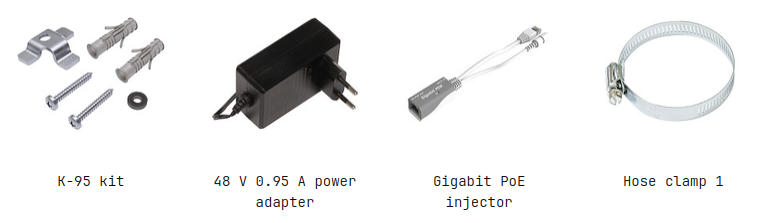
- 48 V, 0.95 A power adapter.
- Gigabit PoE injector.
- Hose clamp (1 pc).
- K-95 fastening set.
The SFP module is not included.
Operating system support
The device runs SwOS Lite. The factory-installed version is listed in the SwOS Lite web interface. Other operating systems are not supported.