Netwatch
CLI reference:/tool/netwatch
Netwatch monitors the state of hosts on the network and runs scripts when a host's state changes. Each probe monitors one host and has a state (unknown until the first test completes, then up or down), test statistics and its own interval and timeout.
Six probe types are available:
- simple - one ICMP echo request per test. This is how Netwatch worked in older RouterOS versions; its default
intervalis 60s, while all other probe types default to 10s. - icmp - a series of ICMP echo requests per test (10 by default), with round-trip, jitter and loss statistics and configurable fail thresholds.
- tcp-conn - tests whether a TCP connection to a port can be established.
- http-get - requests a page and checks the HTTP response code and response time.
- https-get - like
http-get, but over HTTPS. - dns - sends a DNS query and checks that the requested record is returned.
Every probe needs a host: an IP address, a DNS name, an address with a VRF suffix (192.0.2.1@vrf1), or a link-local IPv6 address with an interface (fe80::1%ether1).
Simple probe
A simple probe periodically sends one ICMP echo request to check that the host is reachable. Only the general probe parameters apply.
Ping Google's public DNS resolver and log the state changes:
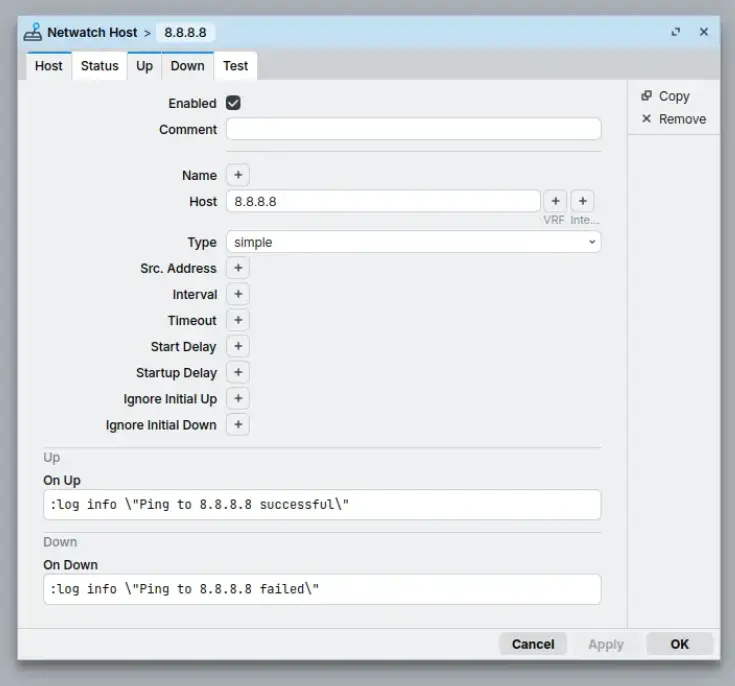
/tool/netwatch/add host=8.8.8.8 \
    up-script=":log info \"Ping to 8.8.8.8 successful\"" \
    down-script=":log info \"Ping to 8.8.8.8 failed\""
The first test runs about 3 seconds after the probe is added or enabled (the default start-delay), the state change is logged (topic netwatch,info), and the matching script runs:
[admin@MikroTik] > /log/print where message~"8.8.8.8"
2026-10-09 09:57:10 netwatch,info event up [ : simple, host: 8.8.8.8 ]
2026-10-09 09:57:10 ,info Ping to 8.8.8.8 successful
The same probe in WinBox (Tools > Netwatch):
ICMP probe
The icmp probe type sends multiple ICMP echo requests per test and evaluates the results against thr-* thresholds. It is a more advanced version of the simple probe: you can watch round-trip time, jitter or packet loss instead of plain reachability.
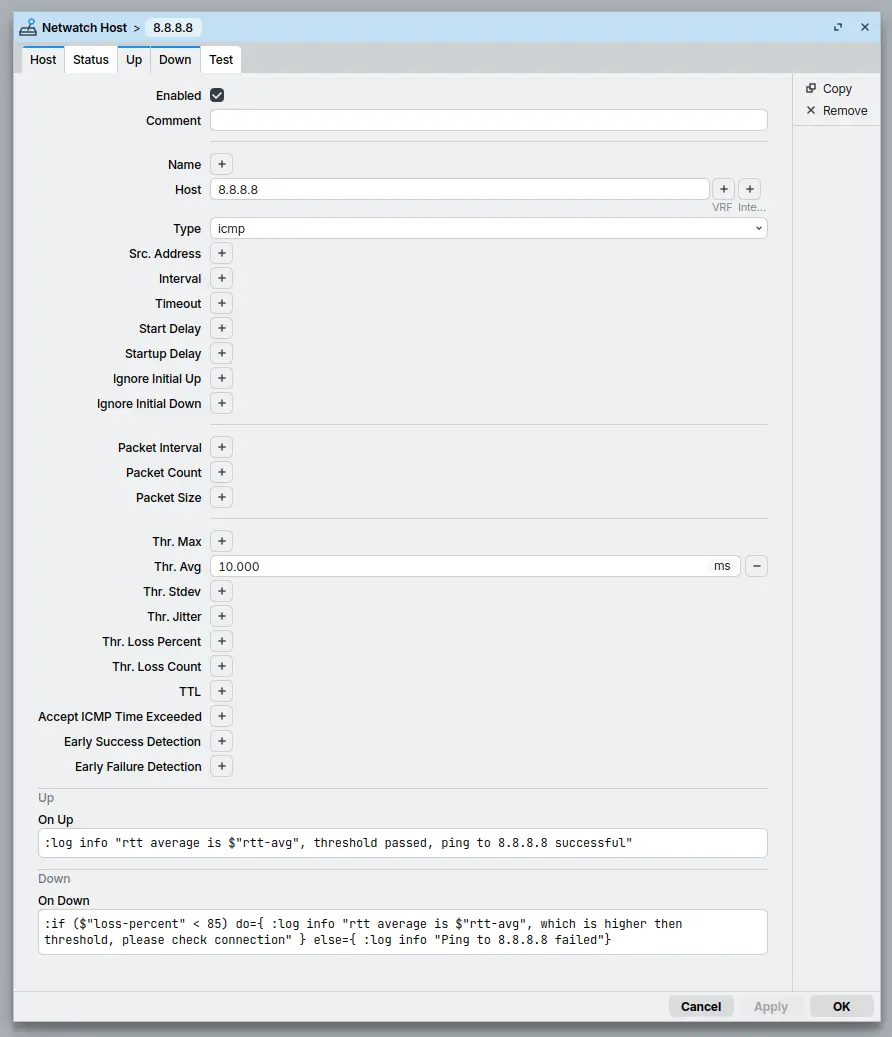
Watch the average round-trip time to 8.8.8.8 and fail the probe when it rises above 10 ms:
/tool/netwatch/add host=8.8.8.8 type=icmp thr-avg=10ms \
    up-script=":log info \"rtt average is \$\"rtt-avg\" us\"" \
    down-script=":log info \"8.8.8.8 down: \$\"loss-percent\"% loss\""
The scripts can read the probe's statistics, for example rtt-avg and loss-percent. Round-trip values are passed to scripts in microseconds:
[admin@MikroTik] > /log/print where message~"8.8.8.8"
2026-10-09 09:57:11 netwatch,info event up [ : icmp, host: 8.8.8.8 ]
2026-10-09 09:57:11 ,info rtt average is 9739 us
The collected statistics of the same probe:
[admin@MikroTik] > /tool/netwatch/print stats
1  type=icmp host=8.8.8.8 status=up since=2026-10-09 09:57:11 done-tests=1
   failed-tests=0 sent-count=10 response-count=10 loss-count=0 loss-percent=0%
   rtt-min=9ms686us rtt-max=9ms935us rtt-avg=9ms739us rtt-jitter=249us
   rtt-stdev=121us
With thr-loss-count, Netwatch can also report the verdict before the packet train ends: early-failure-detection=yes reports down as soon as the loss count makes failure certain, and early-success-detection=yes reports up as soon as the remaining packets can no longer cross it. Without thr-loss-count the outcome is known only when all packets of the train are accounted for, so the early-detection options are mostly relevant together with that threshold.
Thresholds have defaults even when you set none (for example thr-avg=100ms), so a slow but working link can report down with a plain type=icmp probe; raise the thresholds or check print stats to see which one tripped.
The same probe in WinBox:
TCP-conn probe
The tcp-conn probe type checks whether the router can establish a TCP connection to a host on a specific port. Use it to monitor a specific service instead of general device availability through ICMP. The connect time is stored in tcp-connect-time, and thr-tcp-conn-time fails the probe when the handshake takes too long.
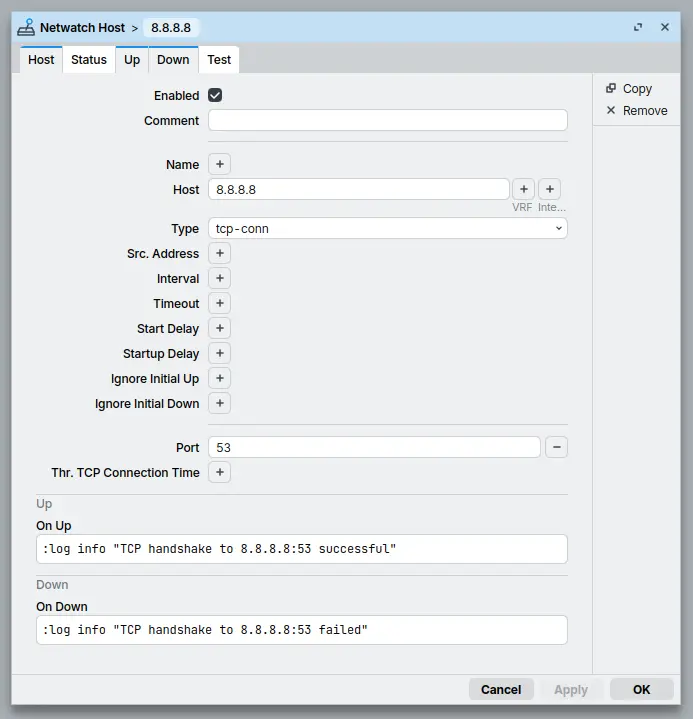
Check that the DNS service of 8.8.8.8 accepts TCP connections on port 53:
/tool/netwatch/add host=8.8.8.8 type=tcp-conn port=53 \
    up-script=":log info \"TCP handshake to 8.8.8.8:53 successful\"" \
    down-script=":log info \"TCP handshake to 8.8.8.8:53 failed\""
[admin@MikroTik] > /log/print where message~"8.8.8.8"
2026-10-09 09:57:10 netwatch,info event up [ : tcp_conn, host: 8.8.8.8 ]
2026-10-09 09:57:10 ,info TCP handshake to 8.8.8.8:53 successful
The same probe in WinBox:
HTTP-GET probe
The http-get probe type performs an HTTP GET request to the host and checks the returned HTTP status code against the configured http-codes range (default 100-299). Unlike ICMP or TCP probes, it validates application-layer availability: the web service has to answer, not only accept connections. Commonly used for monitoring website or API availability. The response code is stored in http-status-code and the response time in http-resp-time; thr-http-time fails the probe on slow responses.
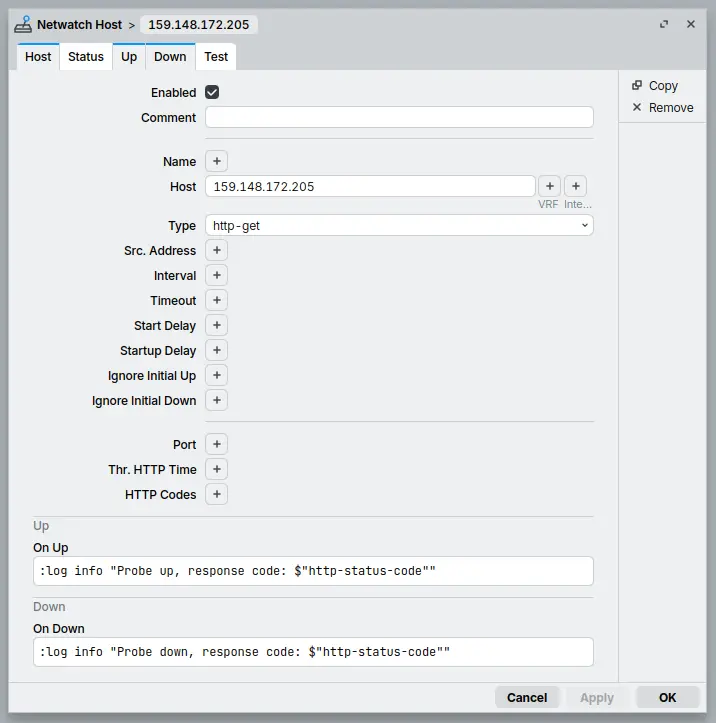
Request the front page of mikrotik.com (159.148.172.205) and log the response code:
/tool/netwatch/add host=159.148.172.205 type=http-get \
    up-script=":log info \"Probe up, code \$\"http-status-code\"\"" \
    down-script=":log info \"Probe down, code \$\"http-status-code\"\""
The probe goes down because mikrotik.com answers a redirect (302), which is outside the default accepted range of 100-299. To accept redirects too, widen the range, for example http-codes=100-399 (a list of ranges like 100-299,302 also works). The log output:
[admin@MikroTik] > /log/print where message~"159.148.172.205"
2026-10-09 09:59:01 netwatch,info event down [ : http_get, host: 159.148.172.205 ]
2026-10-09 09:59:01 ,info Probe down, code 302
The same probe in WinBox:
HTTPS-GET probe
The https-get probe type is identical to http-get, but uses HTTPS instead of HTTP, and adds the check-certificate and certificate parameters for TLS certificate validation.
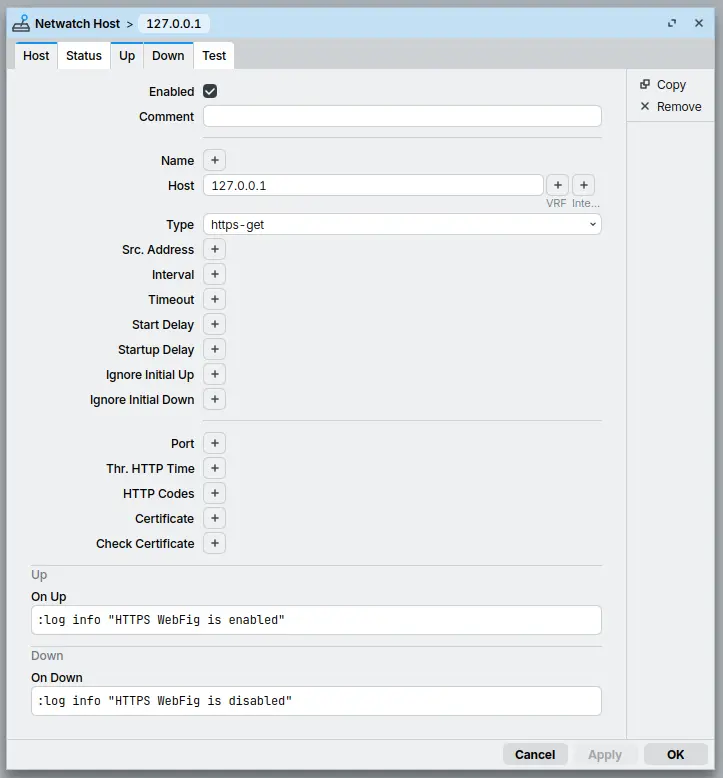
Monitor the router's own www-ssl service, which provides HTTPS access through WebFig:
/tool/netwatch/add host=127.0.0.1 type=https-get \
    up-script=":log info \"HTTPS WebFig is enabled\"" \
    down-script=":log info \"HTTPS WebFig is disabled\""
For the probe to come up, www-ssl must be enabled and configured with a certificate; with a plain self-signed certificate, leave check-certificate=no:
[admin@MikroTik] > /log/print where message~"WebFig"
2026-10-09 09:57:10 netwatch,info event up [ : https_get, host: 127.0.0.1 ]
2026-10-09 09:57:10 ,info HTTPS WebFig is enabled
The same probe in WinBox:
DNS probe
The dns probe type resolves the host name and checks that the requested record-type (A, AAAA, MX or NS) is returned. With dns-server you can choose which server to query; otherwise the servers configured in /ip/dns are used. The results are stored in the read-only ip, ip6, mail-servers and name-servers values.
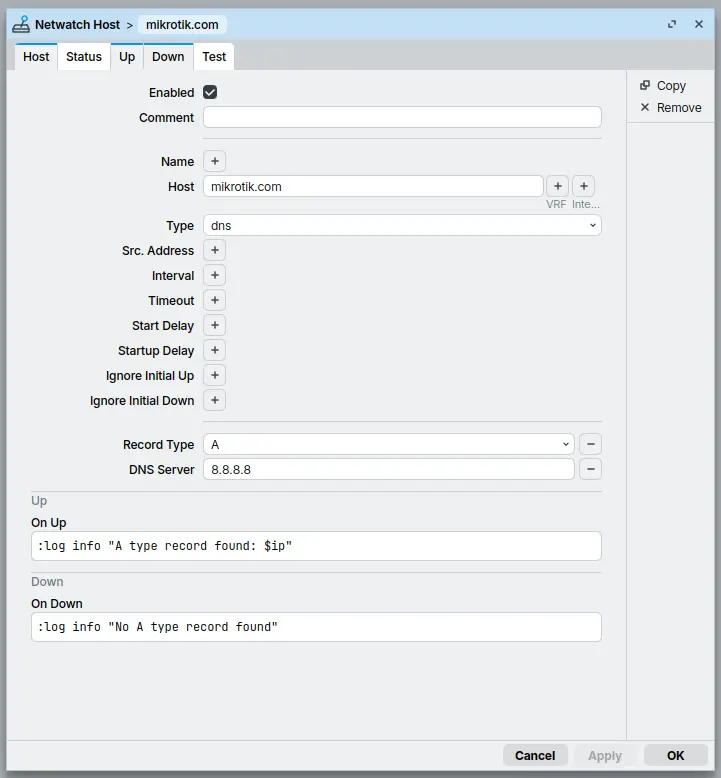
Resolve mikrotik.com with Google's public DNS server and log the address:
/tool/netwatch/add host=mikrotik.com type= \
dns-server=8.8.8.8 record-type=A \
up-script=":log info \"A type record found: \$ip\"" \
down-script=":log info \"No A type record found\""
[admin@MikroTik] > /log/print where message~"record"
2026-10-09 09:57:10 netwatch,info event up [ : , host: mikrotik.com ]
2026-10-09 09:57:10 ,info A record found: 159.148.172.205
The same probe in WinBox:
Scripts
Netwatch runs scripts on probe state changes so RouterOS can react automatically: switch to a backup route, restart a tunnel, send an email or write a log entry (see the scripting documentation):
up-scriptruns when the state changes toupfromdown, or fromunknown(unlessignore-initial-up=yessuppresses the first transition, for example after a reboot);down-scriptruns when the state changes todownfromup, or fromunknown(unlessignore-initial-down=yes);test-scriptruns after every probe test.
Inside a script, the probe's values are available as variables, for example host, type, status (already the new state) and done-tests. Names containing - must be quoted with $"...", for example $"rtt-avg"; round-trip values are reported in microseconds.
Scripts run as the internal *sys user in their own environment, separate from other users, the scheduler and other probes: global variables set in a Netwatch script are not visible anywhere else. Scripts are limited to the read, write, test and reboot script policies; a command that needs another policy fails with not enough permissions and stops the script.
State changes are logged with the netwatch,info topic. Probes with a name log it (event up [ my-probe ]), unnamed probes log their type and host (event up [ type: icmp, host: 198.51.100.1 ]). For per-test details, add a logging rule with the netwatch,debug topic (see logging).
Check and troubleshoot
Show the probe states and the statistics of the last test:
/tool/netwatch/print stats
The status shows the verdict, since the time of the last state change, and done-tests/failed-tests the history counters. Per-type values cover the last test only, for example rtt-* for ICMP or http-status-code for HTTP-GET.
Common causes for an unexpected down state:
- A short-lived outage before you looked:
sinceshows the last state change,failed-testscounts the failures, and thenetwatch,infolog holds the history. - ICMP thresholds: the host answers, but
rtt-avgor another value crosses athr-*threshold - compareprint statswith the thresholds. - HTTP probes: the response code is outside
http-codes(a redirect is down by default) or the response is slower thanthr-http-time. - DNS probes: NXDOMAIN or an unreachable
dns-serveris down; the probe's owntimeoutapplies, unaffected by/ip/dnstimeouts.
Technical details
- To keep a probe from testing immediately, use
start-delay(applies on add and enable; 3s by default) andstartup-delay(after a reboot; 5m by default). - Log lines spell the probe types with underscores: a
tcp-connprobe logstype: tcp_conn, anhttp-getprobe logshttp_get. - With
src-addressthe probes are sent from a specific router address; when that address is no longer on the router (for example a disconnected PPP link), the probe reportsdown, which scripts can use to react to usable uplinks instead of merely reachable hosts. - When the ICMP packet train does not fit into the probe's timing (
interval < (packet-count - 1) * packet-interval + timeout), RouterOS logs a "packet train not fitting in interval" warning and extends the used interval internally. - Simple, ICMP, TCP-conn and HTTP/HTTPS-GET probes are sent with the "don't fragment" flag set. An
icmpprobe with an increasedpacket-sizetherefore answers only when the whole path carries packets of that size, which helps with path MTU problems.
For all properties, read-only values and their defaults, see /tool/netwatch in the CLI reference.