CRS3xx and CSS3xx Series Manual
Summary
SwOS is an operating system designed specifically for the administration of MikroTik switch products. It provides fundamental managed switch functionalities alongside advanced features such as port-to-port forwarding, broadcast storm control, MAC/IP/port filtering via ACL rules, VLAN configuration, traffic mirroring, and bandwidth limitation.
SwOS is managed exclusively through a web browser (HTTP) over IPv4. Console access, SSH, API, or other management interfaces are not supported.
Connecting to the Switch
Open a web browser and enter the default management IP address.
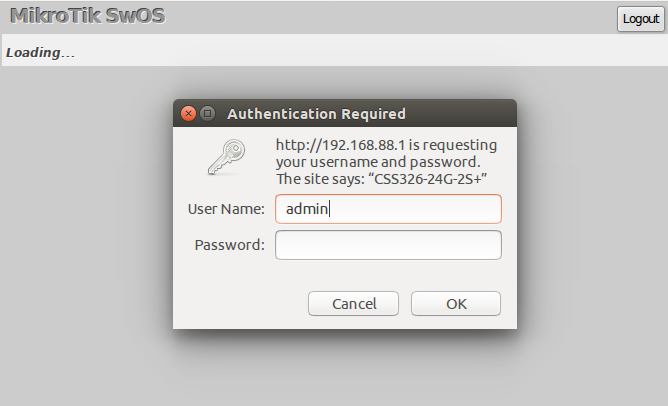
- Default IP Address:
192.168.88.1 - Default Username:
admin - Default Password: (blank)
System Tab
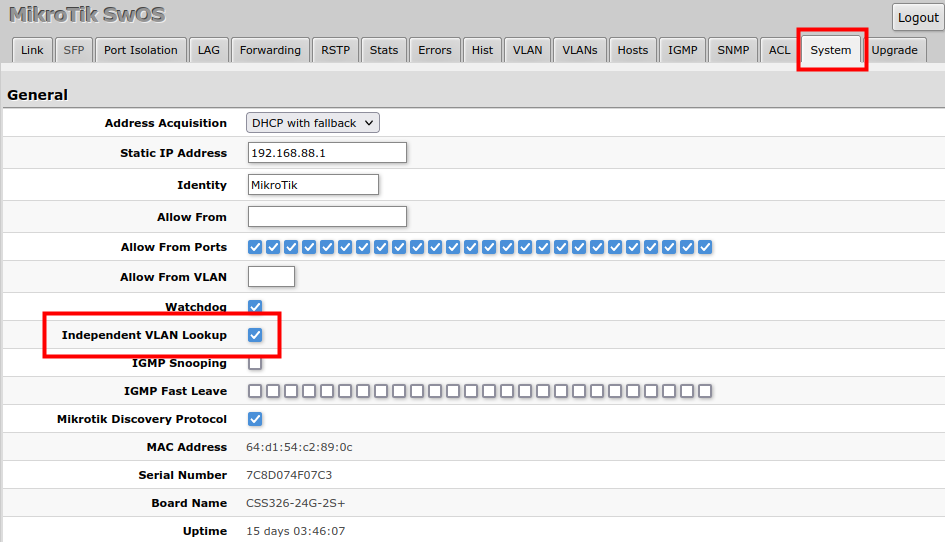
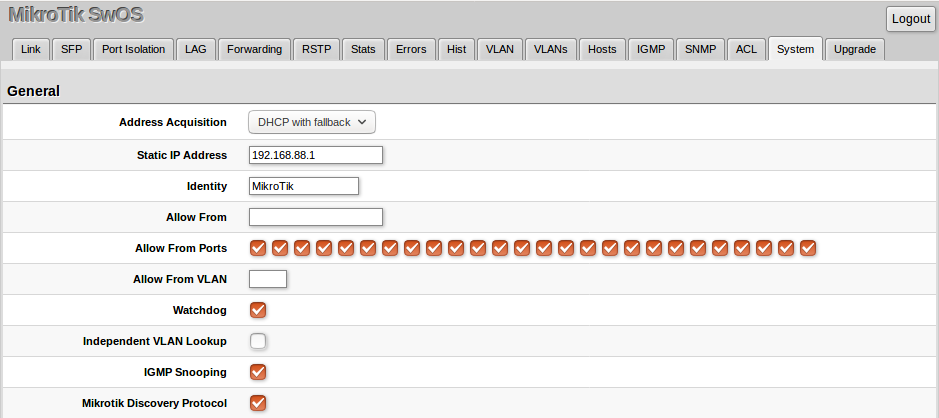
The System tab manages general configuration parameters, device discovery options, and administrative security.
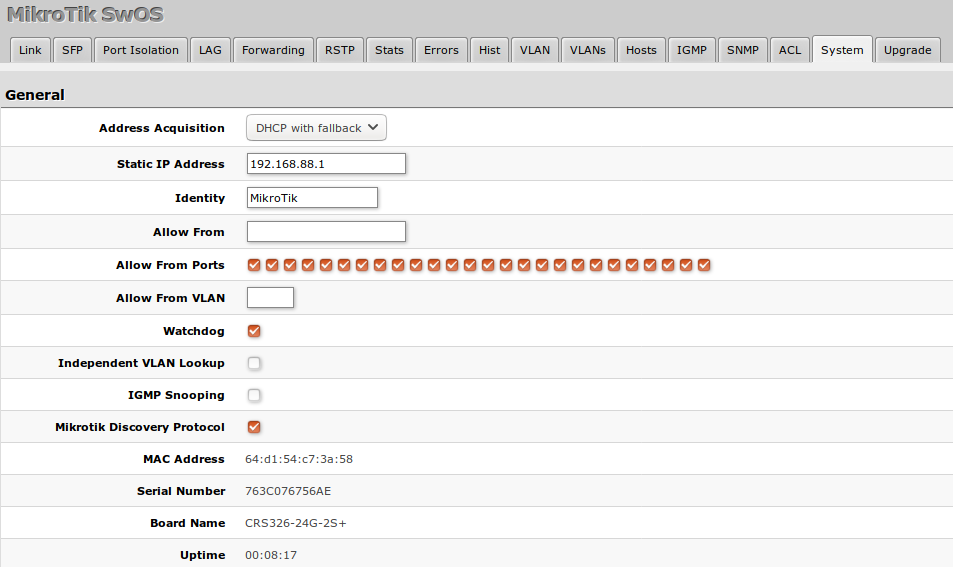
System Management Settings
| Property | Description |
|---|---|
| Address Acquisition | Defines IP assignment via static settings, DHCP with fallback, or DHCP only. |
| Static IP Address | Specifies the static IPv4 address for management access. |
| Identity | Sets a customizable name for the switch identifier. |
| Allow From | Restricts management web access to specified IP ranges or subnets. |
| Allow From Ports | Limits web access to designated physical switch interfaces. |
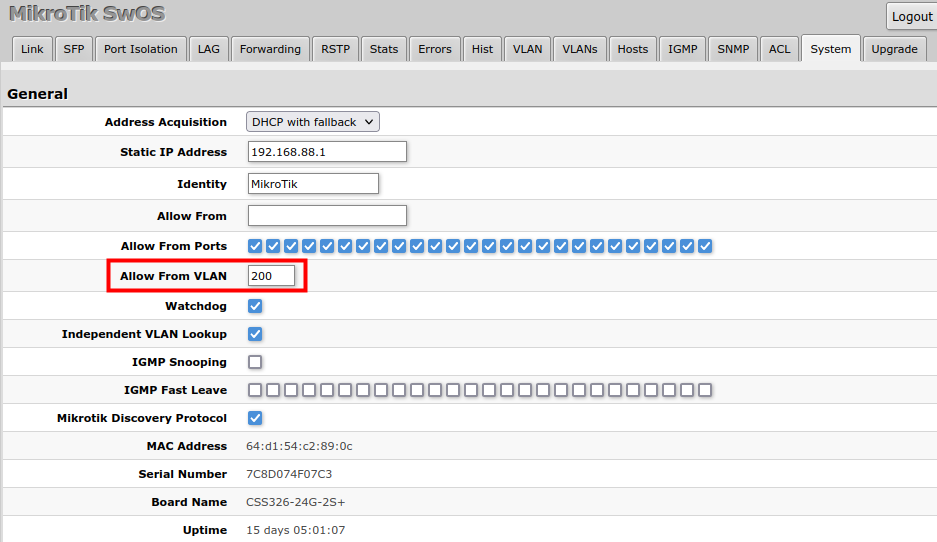
| Allow From VLAN | Restricts access to a specific incoming VLAN ID profile. |
DHCP & PPPoE Snooping
SwOS features built-in security mechanics to block unauthorized or rogue DHCP servers and PPPoE discovery sequences on specified untrusted interfaces.

Configuration Security and Maintenance
The lower section handles backups and administrative passwords.
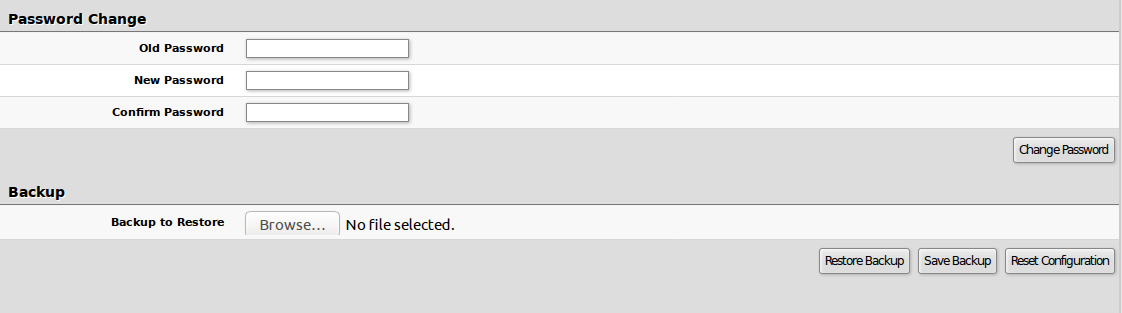
- Change Password: Updates the device access keys.
- Backup Configuration: Saves current settings to a local file.
- Restore Configuration: Uploads and applies existing configuration states.
Link Tab
The Link tab configures physical link parameters and monitors active connection properties for each interface.
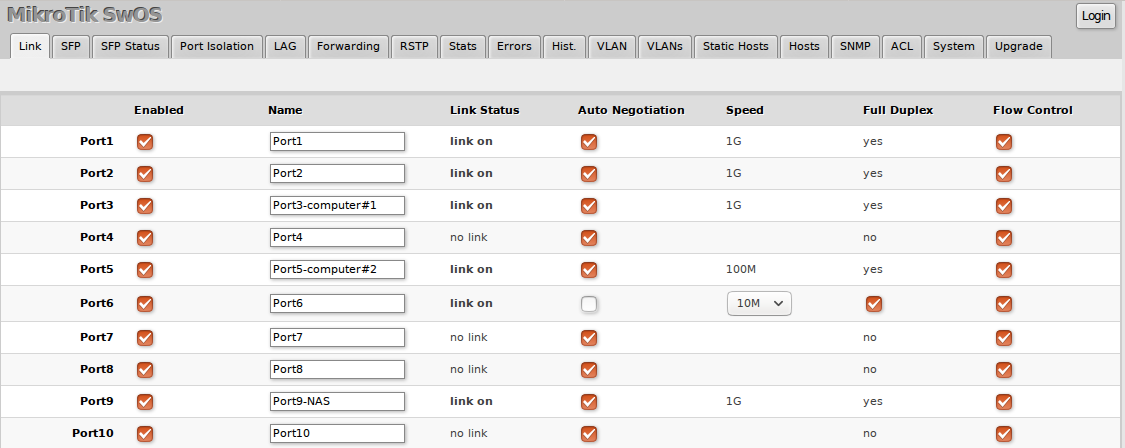
- Link Profiles: Manage interface states, toggle speed/duplex auto-negotiation, and control flow control pause frames.
PoE Tab
(Available on devices supporting Power over Ethernet distribution features)
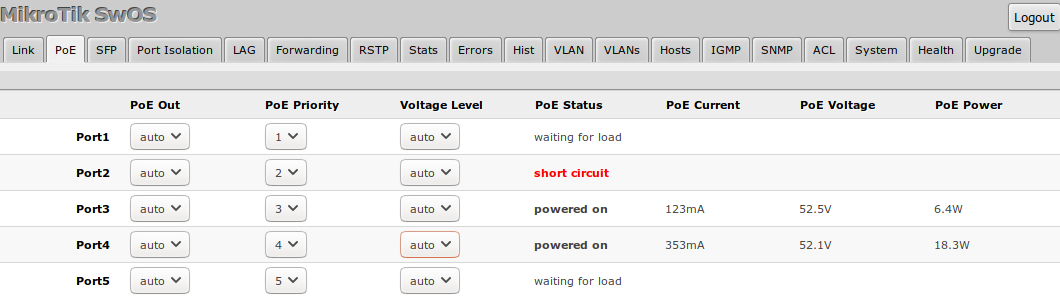
- Supports configuring power delivery settings (
auto,on,off) and establishing port prioritization during power constraint events.
SFP Tab
Provides visual diagnostics for connected SFP/SFP+ optical transceivers.

- Monitors internal diagnostics such as operating temperatures, laser supply voltages, TX/RX power levels, and hardware serialization strings.
Forwarding and Port Isolation
Manages Layer 2 packet-forwarding tables across the switching architecture.
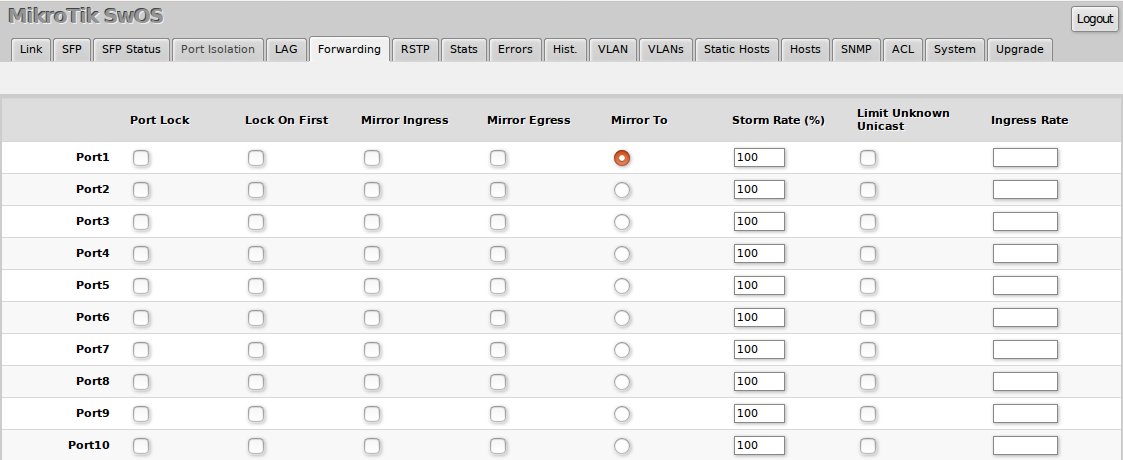
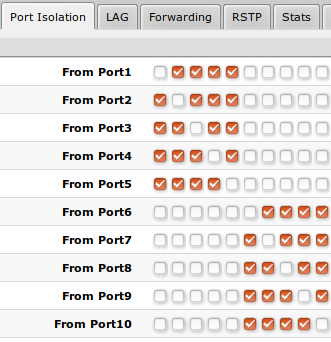
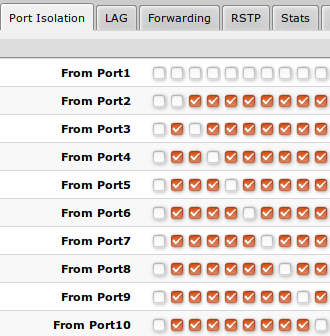
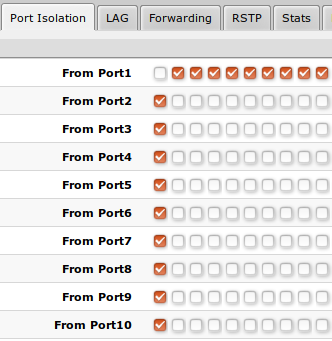
Port Isolation and Isolated Groups
Port isolation splits broadcast domains internally, controlling client communications without adding subnet layers.
LAG (Link Aggregation)
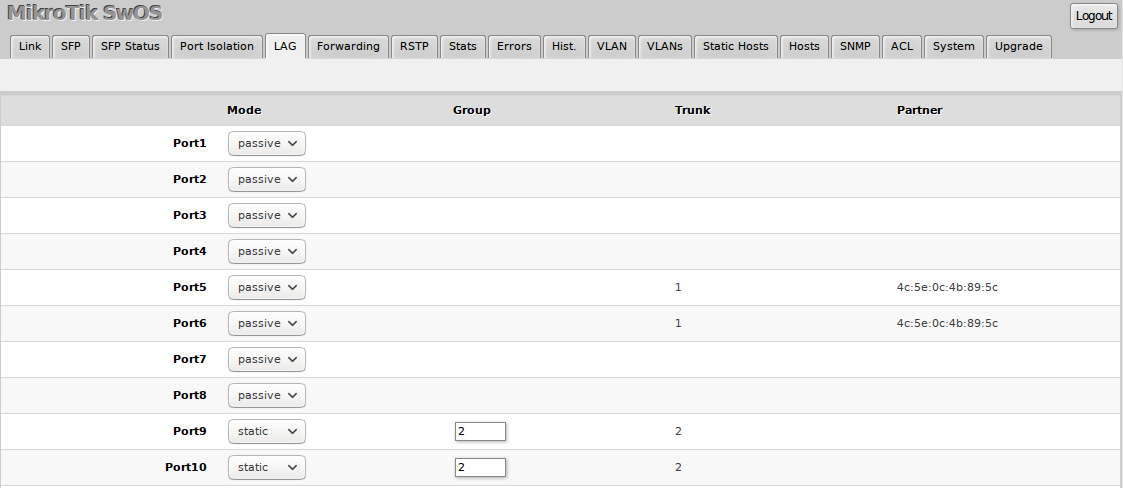
Bundles physical interfaces into single high-throughput channels using either dynamic LACP links or static arrays.
RSTP (Rapid Spanning Tree Protocol)
Provides loop avoidance architectures and structural redundancy parameters.
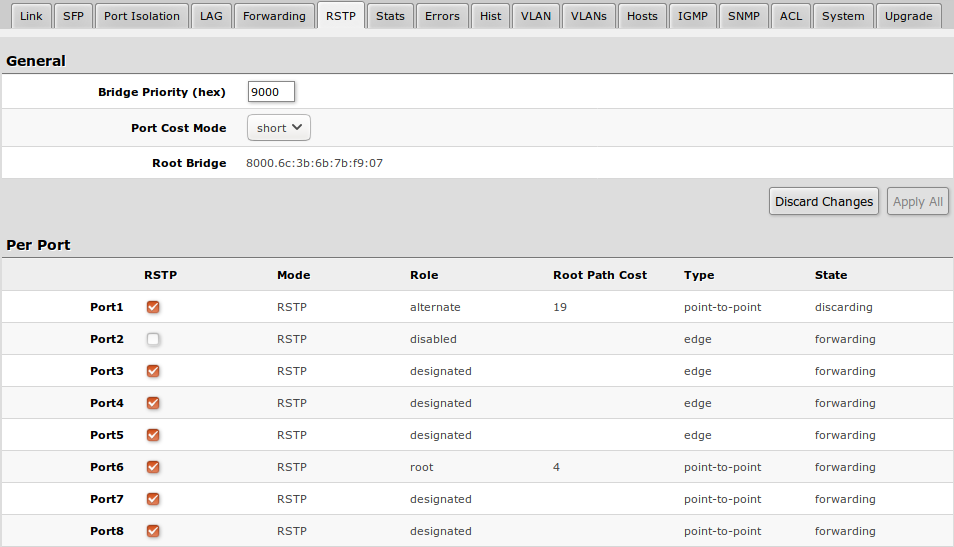
- Supports configuring custom bridge path costs utilizing classic short or modern long path evaluation structures.
VLAN & VLANs Matrix Configuration
VLAN routing rules split ingress packet sorting behavior from egress formatting tables.
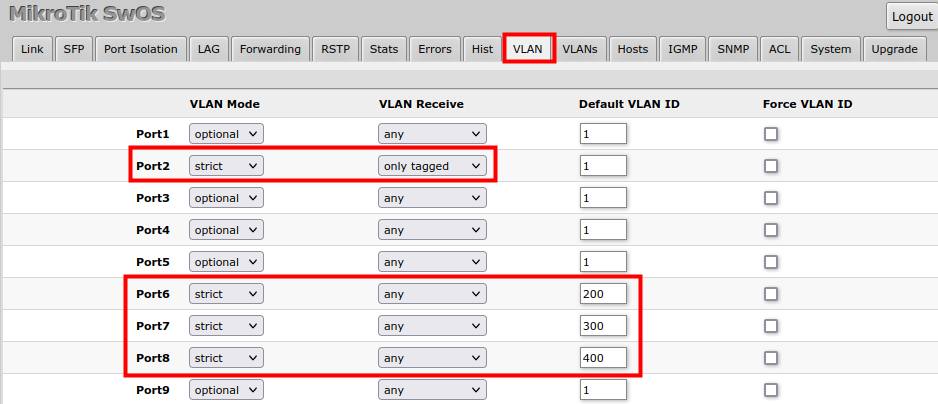
VLAN Tab (Ingress Control)
Handles port behaviors for incoming traffic streams.
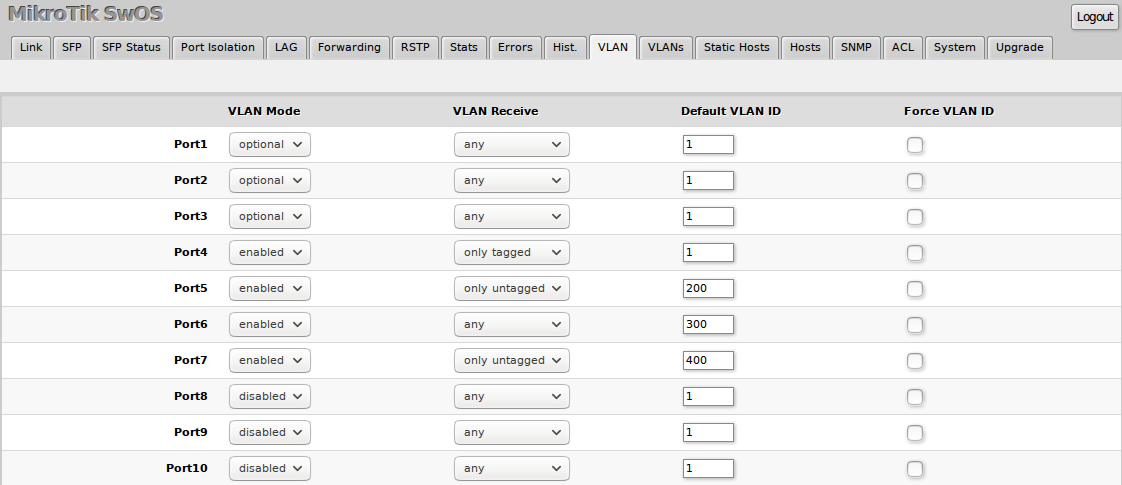
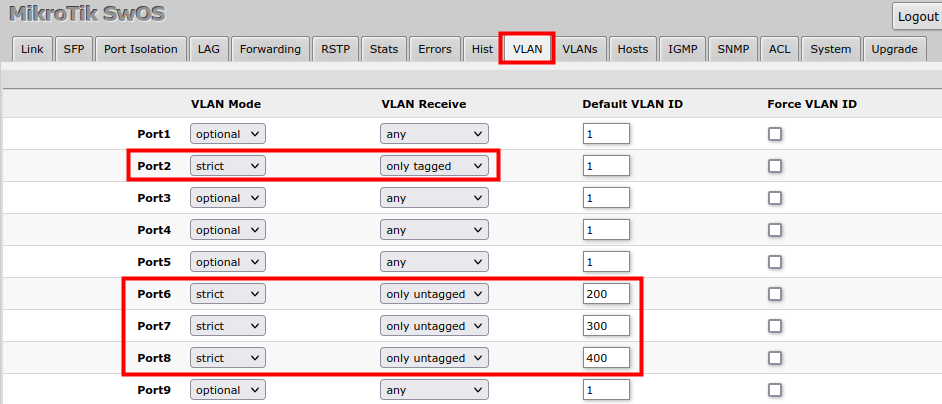
- VLAN Modes: Configures entry constraints across
disabled,optional,enabled, andstrictmodes.
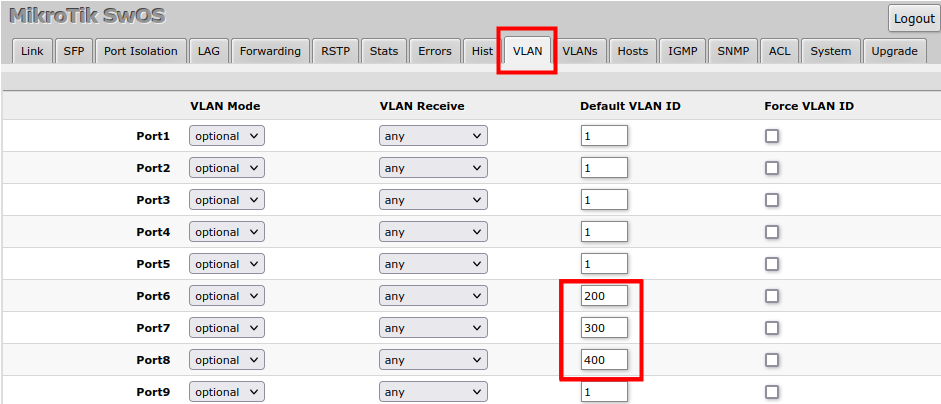
- Default VLAN ID: Sets the Port VLAN ID (PVID) assigned to incoming untagged traffic.
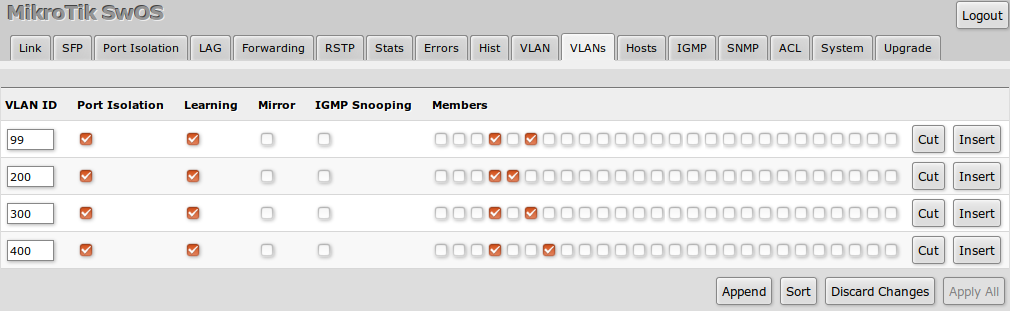
VLANs Tab (Egress Mapping)
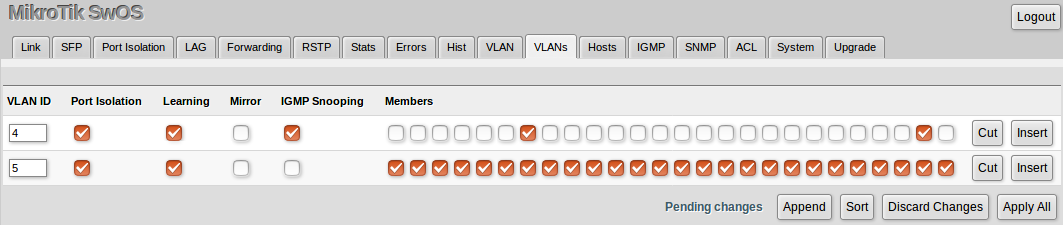
Defines broadcast memberships and handling across target trunk ports.
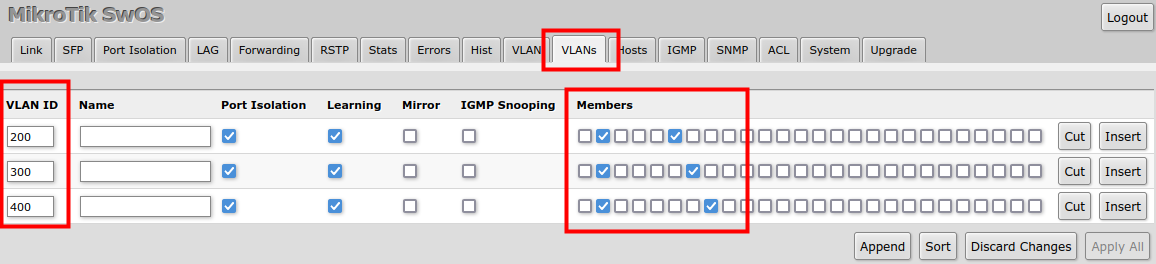
Traditional Mode Templates
-
Access Interfaces: Pairs standard untagged endpoints to specific target VLAN tags.
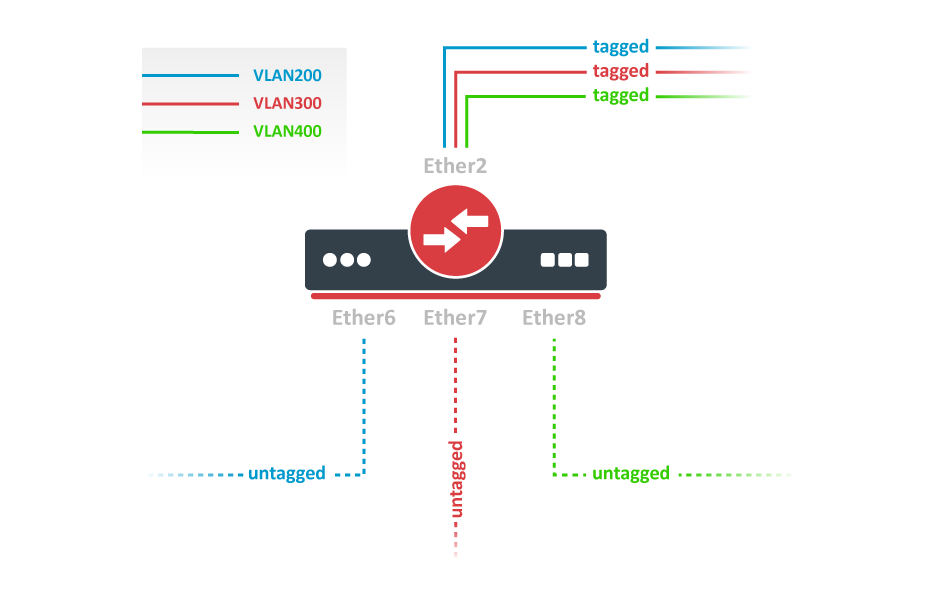
-
Trunk and Hybrid Options: Blends multiple tagged streams with optional untagged native routing paths across primary core uplinks.
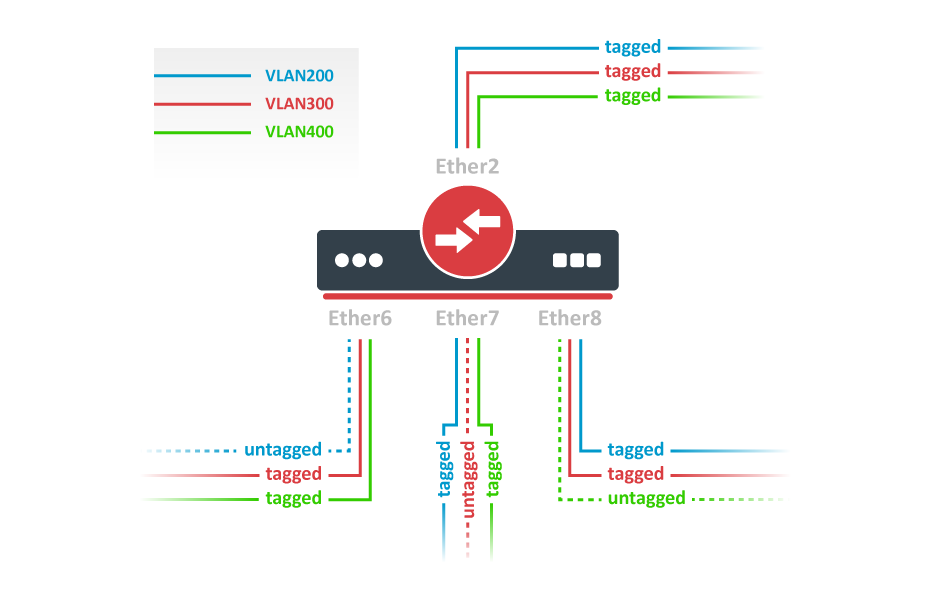
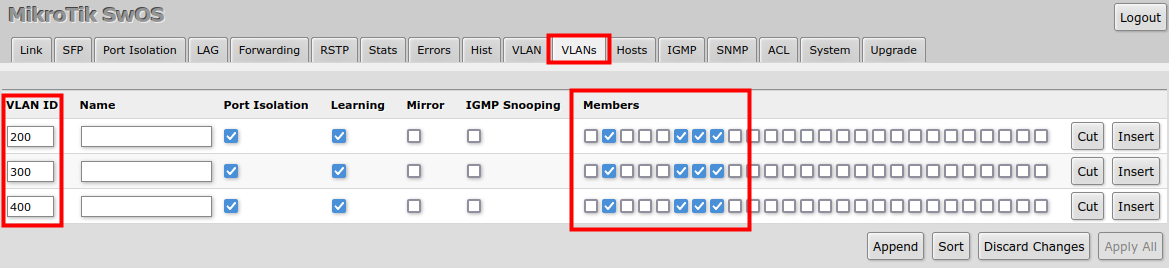
Private VLANs
Enforces secure structural port communication profiles across shared infrastructure spaces.
Hosts Tab
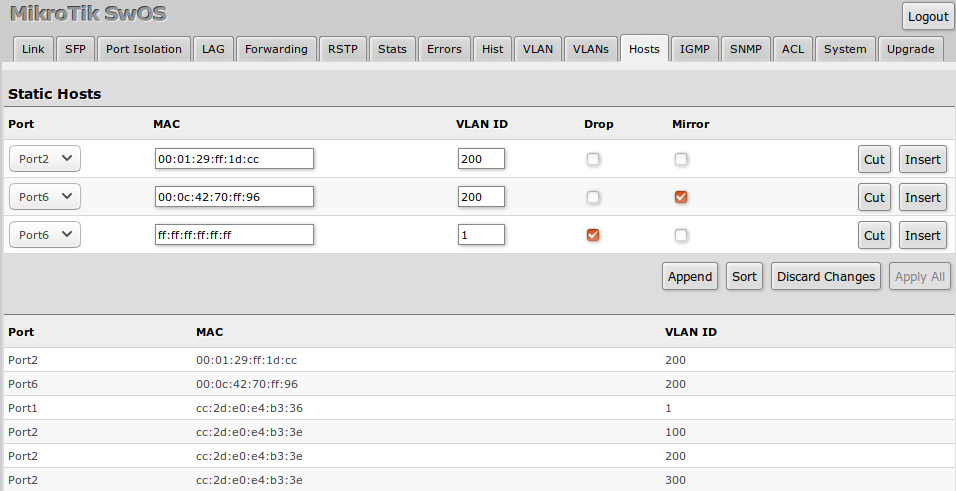
Exposes the active hardware Forwarding Database (FDB) dynamic entries discovered via incoming source addresses.
IGMP Snooping
Filters multicast distributions, tracking active group subscriptions to block multicast flooding.

SNMP Tab
Enables monitoring via standard SNMP structures.

ACL Tab (Access Control Lists)
Executes hardware-offloaded filtering rules matching patterns across L2/L3/L4 frame headers to drop or redirect packets.

Diagnostics: Stats, Errors, and Histograms
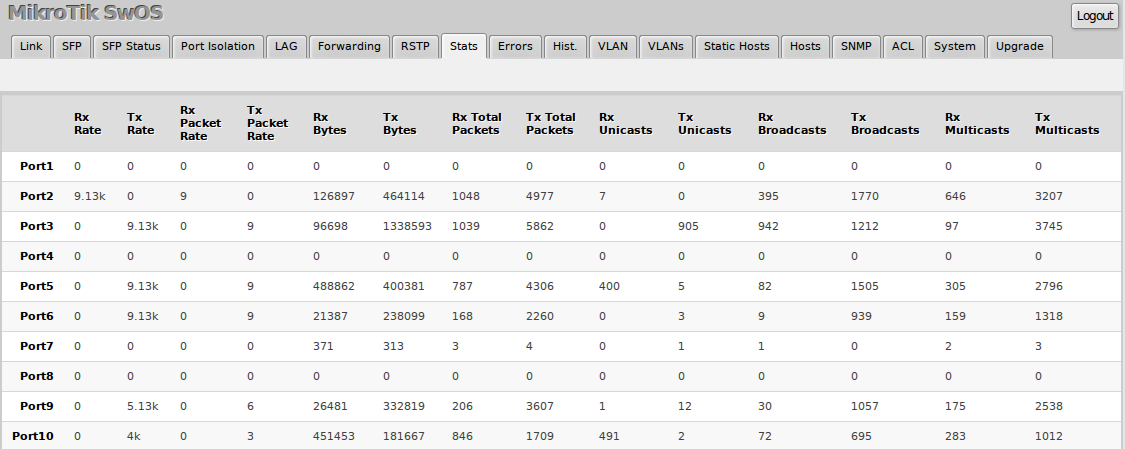
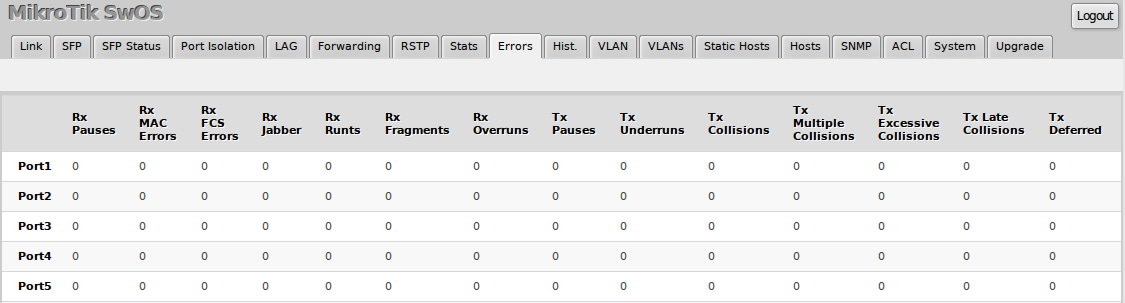
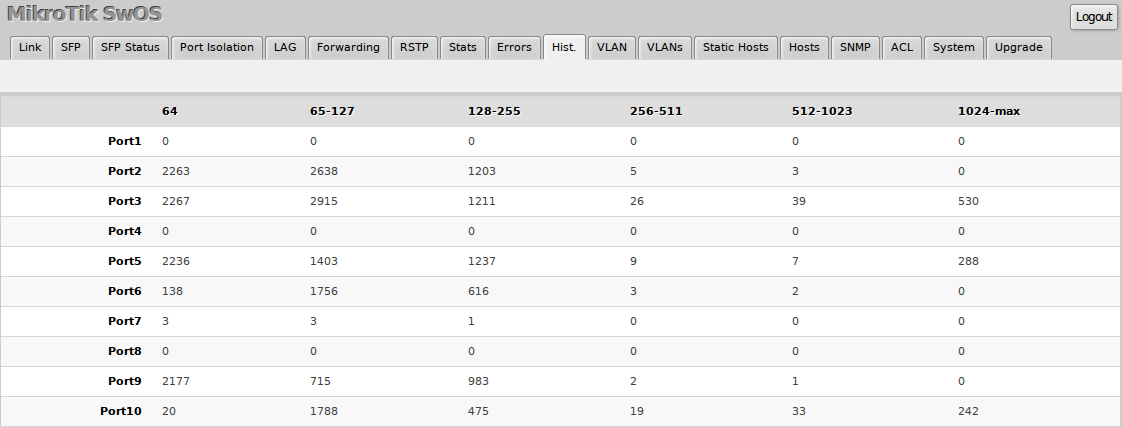
Tracks interface counters, dropped frames, error patterns, and detailed structural link history diagnostics.
Health Tab
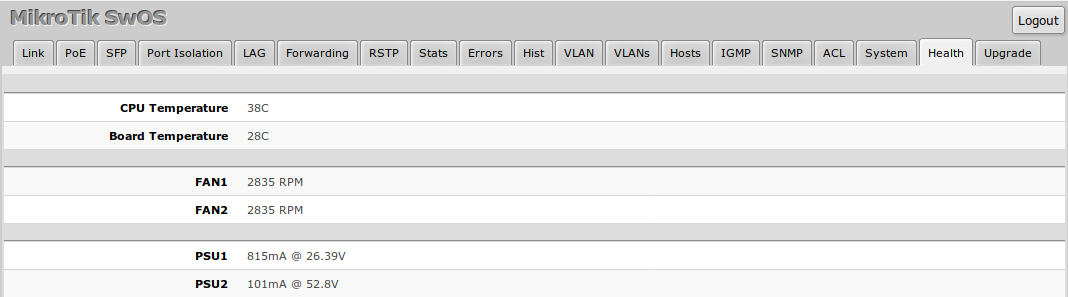
Monitors hardware operating environments, tracking system core temperatures and operating input voltages.
Dual Boot Operation
Many CRS hardware units support a dual-boot design, allowing toggle operations between running RouterOS or SwOS.
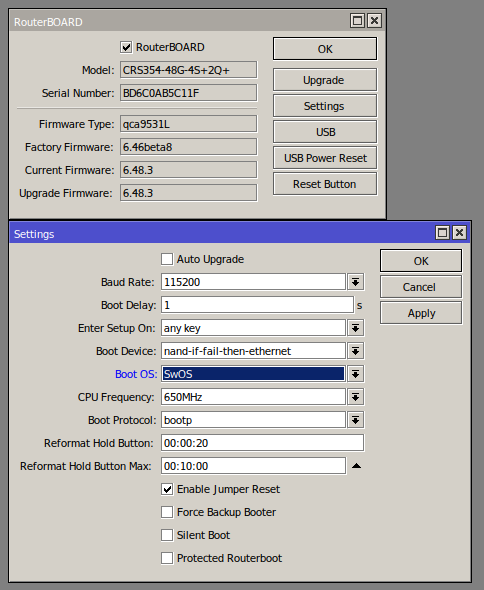
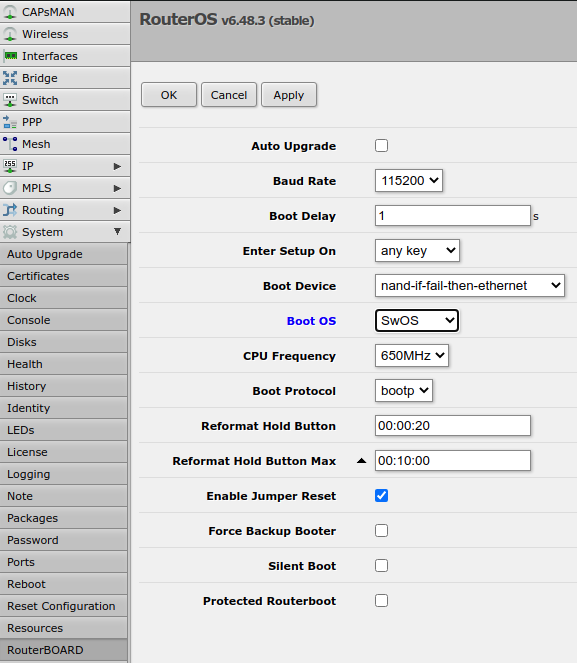

Swapping operating systems toward SwOS using the RouterOS CLI interface utilizes the following system command structure:
/system routerboard settings set boot-os=swos
Reset and Reinstall
It is possible to reset SwOS configuration using the "Reset Configuration" button in the System menu. In case SwOS web management is not available, the configuration can still be reset using other options.
The CSS326-24G-2S+ and CSS318-16G-2S+IN devices have built-in backup SwOS firmware which can be loaded in case standard firmware breaks or upgrade fails:
- Holding Reset button for few seconds while CSS326-24G-2S+ and CSS318-16G-2S+IN is booting resets configuration and loads backup firmware.
- After loading backup firmware, it is possible to connect to 192.168.88.1 (or leased address from a DHCP server) using web browser and install new SwOS firmware.
The Dual Boot devices can boot RouterOS using a reset button. Power the device while holding the reset button and wait till user LED starts flashing (around 5 seconds). This will reset the RouterOS configuration and the device will now boot into RouterOS. After device is accessible by RouterOS, it is possible to upgrade and reset SwOS configuration. See the article - Configuring SwOS using RouterOS.
CRS3xx devices with a serial console have additional options.
To change between RouterOS and SwOS follow these steps:
- Connect to the device using a serial console
- Enter RouterBOOT setup
- Choose "j - boot os"
- Choose either RouterOS or SwOS
It is possible to load a SwOS backup firmware in case standard firmware breaks or upgrade fails:
- Connect to the device using a serial console
- Boot SwOS
- Choose "p - boot primary SwOS"
- After loading backup firmware, it is possible to connect to 192.168.88.1 (or leased address from a DHCP server) using a web browser and install new SwOS firmware.
To reset SwOS configuration:
- Connect to the device using a serial console
- Boot SwOS
- Choose "r - reset configuration"
