Supout.rif
What is a supout.rif File?
A supout.rif file is a MikroTik support output file used for debugging RouterOS and accelerating issue resolution. This binary file contains the router's complete configuration, logs, and additional details that help MikroTik Support diagnose and resolve issues more efficiently.
The file is stored on the router and can be downloaded via FTP or WinBox. On devices with FLASH-type memory or external storage, you can generate the file in the /flash folder by specifying the full path (e.g., name=flash/supout.rif).
To view the file contents, log in to your MikroTik account and use the "Supout.rif viewer" tool located in the left navigation column to upload and analyze the file.
Note: The supout.rif file does not contain sensitive information such as router passwords.
Creating a Support Output file
Winbox
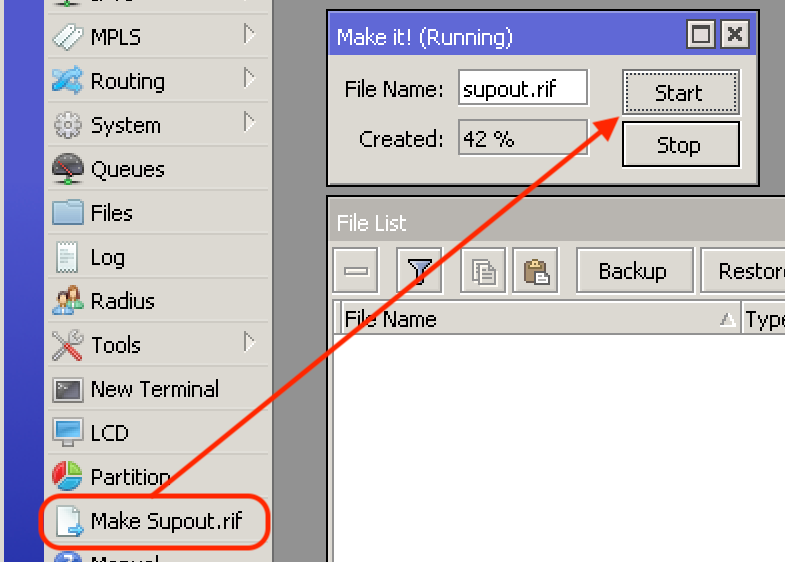
To generate this file in Winbox, click on "Make Supout.rif".
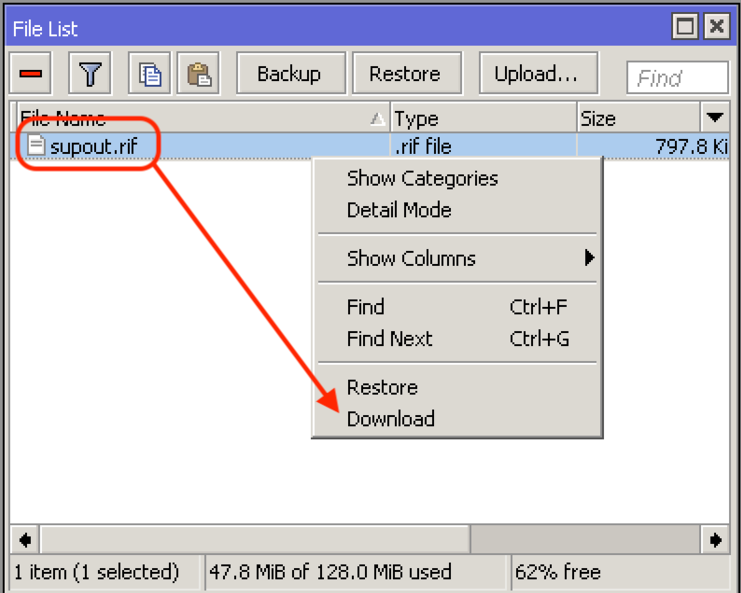
To save the file to your computer, right mouse click on the file and select "Download" to get the support output file or simply drag the file to your desktop.
 Webfig
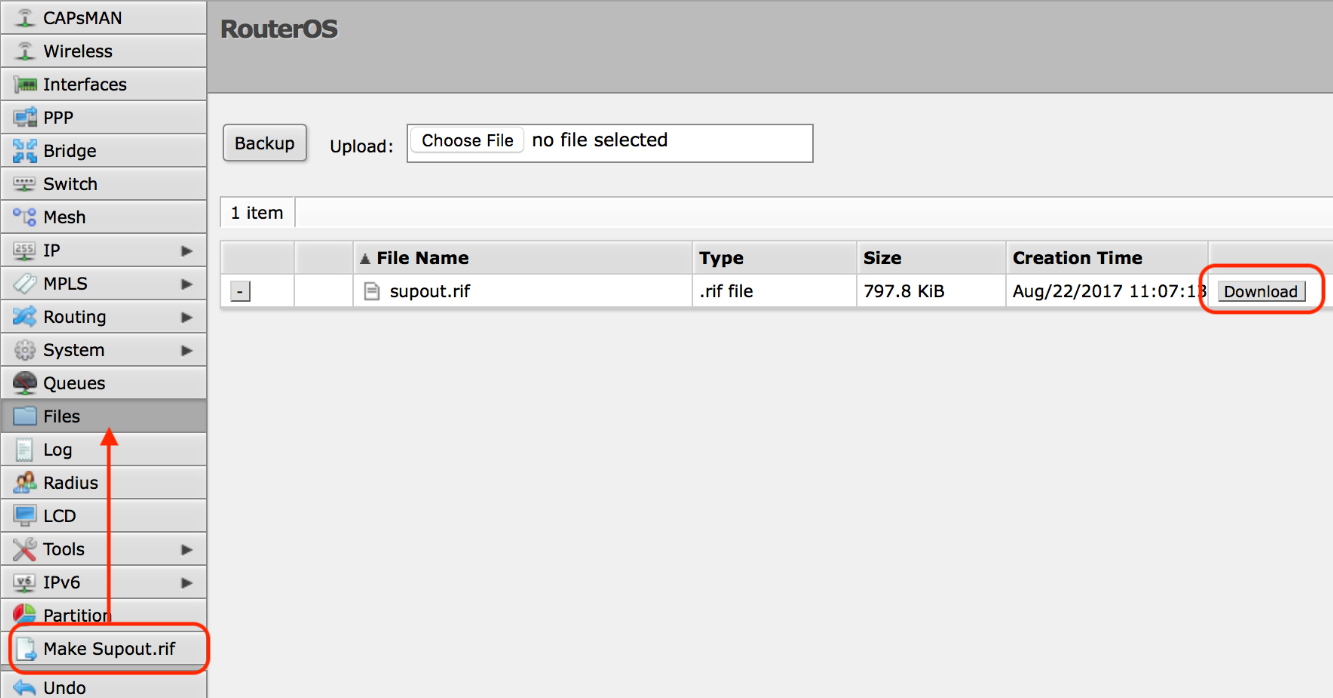
To generate this file in Webfig, click on "Make Supout.rif" and then "Download" to get it on your computer.
Console
To generate this file, please type in the command line:
/system/sup-output name=supout.rif
If you open the file on the supout viewer and the output is too narrow, then you can re-generate the supout file and specify output width manually with the output-width option:
/system/sup-output name=supout.rif output-width=300