SNMP
Simple Network Management Protocol (SNMP) is an Internet-standard protocol used to monitor and manage devices on IP networks. It can be used with monitoring tools such as Cacti, MRTG, or The Dude to collect, visualize, and graph system data.
SNMP write access is available only for selected OIDs. For supported OIDs, write operations are available using SNMP v1, v2c, or v3. SNMP replies are sent through the same interface on which the request was received, ensuring that the response uses the same source address as the destination address used in the original request to the router.
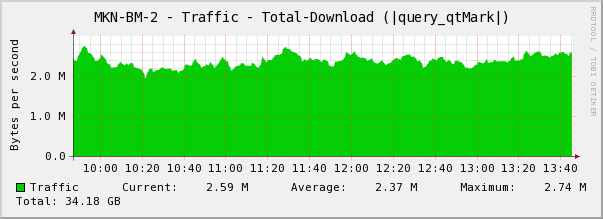
The SNMP service collects data from various services running on the system. If communication between SNMP and one of these services takes longer than expected, the system may log a warning such as timeout while waiting for program or SNMP did not get OID data within the expected time, ignoring OID. The timeout is 30 seconds per service, or up to 5 minutes for the routing service. After such a timeout, the affected service may temporarily stop responding to SNMP data requests before attempting to retrieve the requested information again.
These warnings do not indicate a problem with the SNMP service itself. In most cases, they occur when SNMP is used to monitor a slow or heavily loaded service. They may also appear when monitoring OIDs that are not suitable for polling through SNMP. In such cases, the recommended solution is to exclude those OIDs from the monitoring tool configuration.
Quick Configuration
To enable SNMP in RouterOS:
[admin@MikroTik] /snmp> print
enabled: no
contact:
location:
engine-id:
trap-community: (unknown)
trap-version: 1
[admin@MikroTik] /snmp> set enabled yes
You can also specify administrative contact information in the above settings. All SNMP data will be available to communities configured in the community menu.
General Properties
Sub-menu: /snmp
This sub menu allows enabling SNMP and configuring general settings.
| Property | Description |
|---|---|
| contact (string; Default: "") | Contact information |
| enabled (yes | no; Default: no) | Used to disable/enable SNMP service |
| engine-id (string; Default: "") | For SNMP v3, used as part of the identifier. You can configure the suffix part of the engine id using this argument. If the SNMP client is not capable of detecting set engine-id value then this prefix hex has to be used 0x80003a8c04 |
| location (string; Default: "") | Location information |
| trap-community (string; Default: public) | Which communities are configured in the community menu to use when sending out the trap. |
| trap-generators (interfaces | start-trap; Default: ) | What action will generate traps:
|
| trap-interfaces (string | all; Default: ) | List of interfaces that traps are going to be sent out. |
| trap-target (list of IP/IPv6; Default: 0.0.0.0) | IP (IPv4 or IPv6) addresses of SNMP data collectors that have to receive the trap |
| trap-version (1|2|3; Default: 1) | A version of SNMP protocol to use for trap |
| src-address (IPv4 or IPv6 address; Default: ::) | Force the router to always use the same IP source address for all of the SNMP messages |
| vrf (VRF name; default value: main) | Set VRF on which the service is listening for incoming connections |
The engine-id field holds the suffix value of engine-id, usually, SNMP clients should be able to detect the value, as SNMP values, as read from the router. However, there is a possibility that this is not the case. In which case, the engine-ID value has to be set according to this rule: <engine-id prefix> + <hex-dump suffix>, so as an example, if you have set 1234 as the suffix value you have to provide 80003a8c04 + 31323334, the combined hex (the result) is 80003a8c0431323334
Community Properties
Sub-menu: /snmp/community
This sub-menu allows to set up access rights for the SNMP data.
There is little security in v1 and v2c, just a clear text community string („username“) and the ability to limit access by IP address.
In the production environment, SNMP v3 should be used as it provides security - Authorization (User + Pass) with MD5/SHA1, Encryption with DES and AES.
[admin@MikroTik] /snmp/community> print value-
name: public
: 0.0.0.0/0
security: none
read-: yes
write-: no
authentication-protocol: MD5
encryption-protocol: DES
authentication-password: *****
encryption-password: *****
Default settings only have one community named public without any additional security settings. These settings should be considered insecure and should be adjusted according to the required security profile.
Properties
| Property | Description |
|---|---|
| address (IP/IPv6 address; Default: 0.0.0.0/0) | Addresses from which connections to the SNMP server are allowed |
| authentication-password (string; Default: "") sensitive | Password used to authenticate the connection to the server (SNMPv3). Password must be at least 8 characters in length. |
| authentication-protocol (MD5 | SHA1; Default: MD5) | The protocol used for authentication (SNMPv3) |
| encryption-password (string; Default: "") sensitive | The password used for encryption (SNMPv3). Password must be at least 8 characters in length. |
| encryption-protocol (DES | AES; Default: DES) | Encryption protocol to be used to encrypt the communication (SNMPv3). AES (see rfc3826) is available since v6.16. |
| name (string; Default: ) | Name of the SNMP community. |
| read-access (yes | no; Default: yes) | Whether read access is enabled for this community |
| security (authorized | none | private; Default: none) | Security levels:
|
| write-access (yes | no; Default: no) | Whether write access is enabled for this community |
Management information base (MIB)
The Management Information Base (MIB) is the database of information maintained by the agent that the manager can query. You can download the latest MikroTik RouterOS MIB file from here: https://mikrotik.com/download/tools
Used MIBs in RouterOS:
- MIKROTIK-MIB
- MIB-2
- HOST-RESOURCES-MIB
- IF-MIB
- IP-MIB
- IP-FORWARD-MIB
- IPV6-MIB
- BRIDGE-MIB
- DHCP-SERVER-MIB
- CISCO-AAA-SESSION-MIB
- ENTITY-MIB
- UPS-MIB
- SQUID-MIB
Object identifiers (OID)
Each OID identifies a variable that can be read via SNMP. Although the MIB file contains all the needed OID values, you can also print individual OID information in the console with the print oid command at any menu level:
[admin@MikroTik] /interface> print oid

Flags: D - dynamic, X - disabled, R - running, S - slave
0 R name=.1.3.6.1.2.1.2.2.1.2.1 mtu=.1.3.6.1.2.1.2.2.1.4.1
mac-address=.1.3.6.1.2.1.2.2.1.6.1 admin-status=.1.3.6.1.2.1.2.2.1.7.1
oper-status=.1.3.6.1.2.1.2.2.1.8.1 bytes-in=.1.3.6.1.2.1.2.2.1.10.1
packets-in=.1.3.6.1.2.1.2.2.1.11.1 discards-in=.1.3.6.1.2.1.2.2.1.13.1
errors-in=.1.3.6.1.2.1.2.2.1.14.1 bytes-out=.1.3.6.1.2.1.2.2.1.16.1
packets-out=.1.3.6.1.2.1.2.2.1.17.1 discards-out=.1.3.6.1.2.1.2.2.1.19.1
errors-out=.1.3.6.1.2.1.2.2.1.20.1
Traps
SNMP traps enable the router to notify the data collector of interface changes and SNMP service status changes by sending traps. It is possible to send out traps with security features to support SNMPv1 (no security). SNMPv2, variants, and SNMPv3 with encryption and authorization.
For SNMPv2 and v3 you have to set up an appropriately configured community as a trap-community to enable required features (password or encryption/authorization).
SNMP write
SNMP write allows changing router configuration with SNMP requests. Consider securing access to the router or to the router's SNMP, when SNMP and write-access are enabled.
To change settings by SNMP requests, use the command below to allow SNMP to write for the selected community.
/snmp/community/set <number> write-access=yes
System Identity
It's possible to change the router system identity by an SNMP set command.
$ snmpset -c public -v 1 192.168.0.0 1.3.6.1.2.1.1.5.0 s New_Identity
- snmpset - SNMP application used for SNMP SET requests to set information on a network entity;
- public - router's community name;
- 192.168.0.0 - IP address of the router;
- 1.3.6.1.2.1.1.5.0 - SNMP value for router's identity;
The SNMPset command above is equal to the RouterOS command:
/system/identity/set identity=New_Identity
Reboot
It's possible to reboot the router with an SNMP set command. You need to set the value for reboot SNMP settings, which is not equal to 0.
$ snmpset -c public -v 1 192.168.0.0 1.3.6.1.4.1.14988.1.1.7.1.0 s 1
- 1.3.6.1.4.1.14988.1.1.7.1.0, SNMP value for the router reboot.
- s 1, snmpset command to set value, the value should not be equal to 0.
The Reboot SNMPset command is equal to the RouterOS command:
/system/reboot
Run Script
SNMP write allows running scripts on the router from the system script menu when you need to set a value for the SNMP setting of the script.
$ snmpset -c public -v 1 192.168.0.0 1.3.6.1.4.1.14988.1.1.8.1.1.3.X s 1
- X, script number, numeration starts from 1.
- s 1, snmpset command to set a value, the value should not be equal to 0.
The same command on RouterOS:
/system/script> print
Flags: I - invalid
0 name="test" owner="admin" policy=ftp,reboot,read,write,,
test,winbox,password,sniff last-started=1970-01-01
01:31:57 run-count=23 source=:beep
/system/script/run 0
SNMP is limited to *ftp,reboot,*read,write,test,romon script policies. If the script has greater policies than *ftp,reboot,*read,write,test,romon - then the script will not be executed. Make sure your scripts do not exceed the mentioned policies.
Running scripts with GET
It is possible to run /system/scripts via SNMP GET request of the script OID (since 6.37). For this to work, an SNMP community with write permission is required. OIDs for scripts can be retrieved via the SNMPWALK command as the table is dynamic.
Add script:
/system/script
add name=script1 owner=admin policy=ftp,reboot,read,write,,test,password,sniff,sensitive,romon source="/sy reboot "
add name=script2 owner=admin policy=ftp,reboot,read,write,,test,password,sniff,sensitive,romon source="[:put output]"
Get the script OID table
$ snmpwalk -v2c -cpublic 192.168.88.1 1.3.6.1.4.1.14988.1.1.8
iso.3.6.1.4.1.14988.1.1.8.1.1.2.1 = STRING: "script1"
iso.3.6.1.4.1.14988.1.1.8.1.1.2.2 = STRING: "script2"
iso.3.6.1.4.1.14988.1.1.8.1.1.3.1 = INTEGER: 0
iso.3.6.1.4.1.14988.1.1.8.1.1.3.2 = INTEGER: 0
To run the script use table 18
$ snmpget -v2c -cpublic 192.168.88.1 1.3.6.1.4.1.14988.1.1.18.1.1.2.2
iso.3.6	.1.4.1.14988.1.1.18.1.1.2.2 = STRING: "output"
SNMP is limited to *ftp,reboot,*read,write,test,romon script policies. If the script has greater policies than *ftp,reboot,*read,write,test,romon - then the script will not be executed. Make sure your scripts do not exceed the mentioned policies.