Supout.rif
CLI reference:/system/sup-output
A support output file (supout.rif) is a diagnostic snapshot of the router for MikroTik support. It holds the router's configuration, its logs, the state of its processes, the output of monitor commands such as the status of the interfaces and, when RouterOS has crashed, the crash data. Create it while the problem is present, so that it shows the router in that state, and send it with your request through the MikroTik support page.
After an unexpected reboot or a crash, create the file right away, before you upgrade or reboot the router again. Also send autosupout.rif and autosupout.old.rif if they are in the file list.
The file is encoded. To view its contents, log in to your MikroTik account and use the "Supout.rif viewer" tool in the left navigation column to upload and analyze the file.
Create the file
In the CLI, run /system/sup-output:
/system/sup-output
The command writes supout.rif and shows its progress as created: 42% up to created: 100%. It takes from a few seconds to longer on routers with large configurations. The size depends on the router; on a home router, the file is typically about 1 MB.
To use another name, set name. RouterOS adds the .rif extension when the name has none, so name=supout.rif also writes supout.rif. A file of the same name is replaced. A path writes the file into a folder, for example on a USB disk:
/system/sup-output name=usb1/supout
If the router's file list has a flash folder, files outside it are lost on reboot. Write the file into flash (name=flash/supout) when the router can reboot before you download it. See Files.
Create the file at a set time
For a problem that happens at a known time, for example every evening, let the scheduler create the file:
/system/scheduler/add name=evening-supout start-time=20:00:00 \
    interval=1d on-event="/system/sup-output name=evening-supout"
Each run replaces the file of the previous day. After the run you need, download evening-supout.rif and remove the entry:
/system/scheduler/remove evening-supout
WinBox
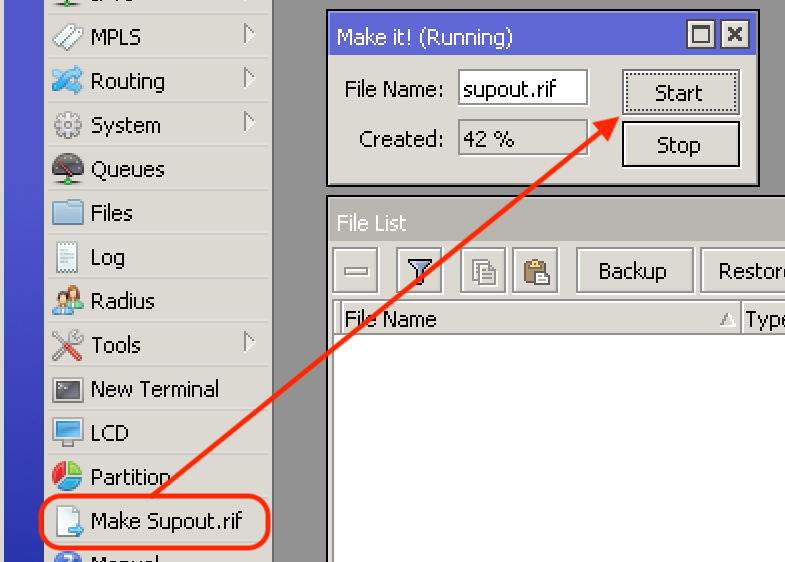
The screenshots show WinBox 3. Select Make Supout.rif in the main menu, then select Start in the window that opens. The window shows the file name and the progress in Created.
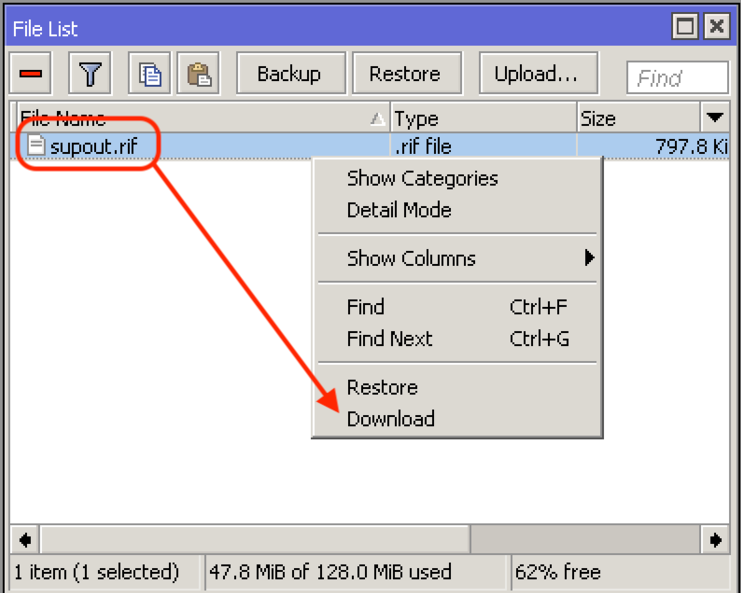
When the file is ready, it is listed in Files. Right-click it and select Download, or drag the file to your desktop. In WinBox 4, download it from Files (see Manage files in WinBox).
WebFig
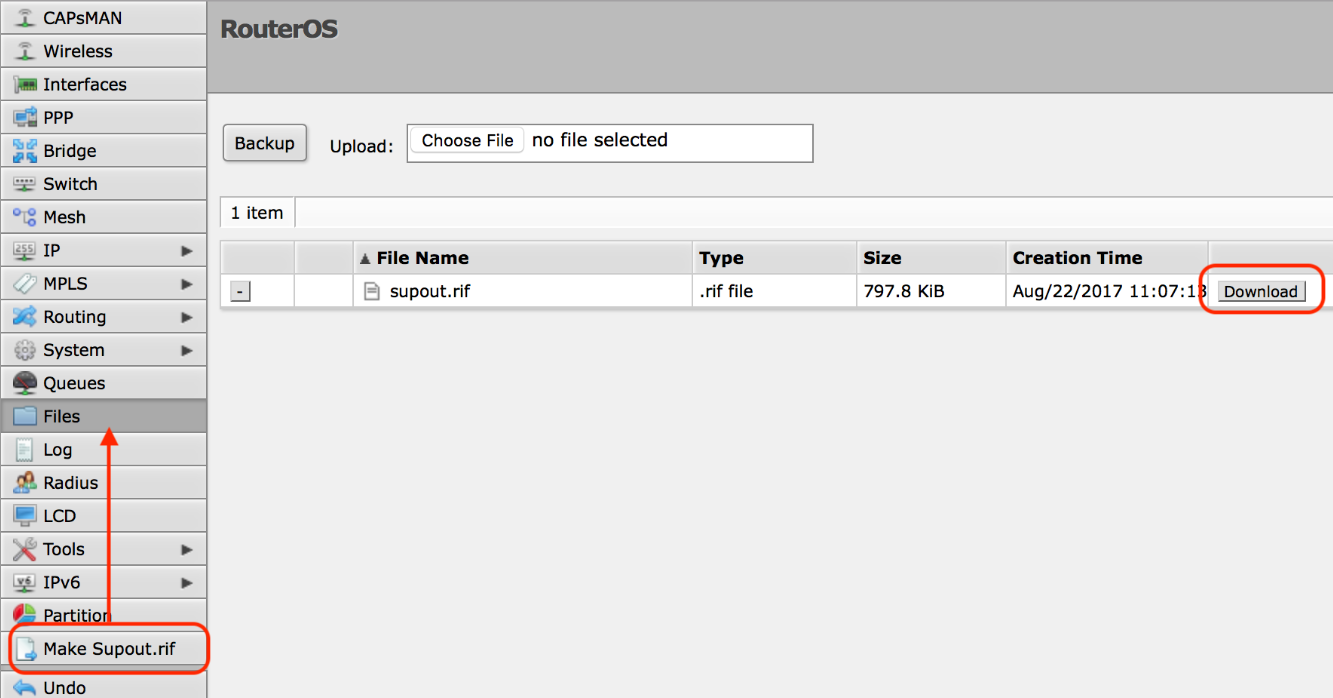
The screenshot shows an older WebFig. Select Make Supout.rif in the menu. Then open Files and select Download next to supout.rif.
Download the file
Download the file with Files in WinBox or WebFig (see Manage files in WinBox), or with scp or SFTP from your computer. These need the SSH service of the router enabled and allowed from your computer (see Services):
scp admin@192.168.88.1:supout.rif .
For a file in a folder, give its path:
scp admin@192.168.88.1:usb1/supout.rif .
FTP works too, when the FTP service of the router is enabled.
Automatic supout after a crash
When RouterOS software fails, the router writes autosupout.rif by itself, and the previous file is renamed to autosupout.old.rif. The watchdog setting automatic-supout controls this, and it is on by default. With auto-send-supout, the router also sends the file by email; this needs the email settings of the watchdog. A watchdog reboot is not a software failure and does not write the file. See Watchdog.
Technical details
Output width
If the viewer shows the command outputs of the file too narrow, create the file again with a larger output-width:
/system/sup-output name=supout output-width=300
File format
The file is text: a series of encoded sections, each between a --BEGIN ROUTEROS SUPOUT SECTION line and a --END ROUTEROS SUPOUT SECTION line. The sections cannot be read without the viewer.
For the parameters, see the /system/sup-output CLI reference.