DDoS protection
CLI reference:/ip/firewall/filter/ip/firewall/raw/ip/firewall/address-list/ip/settings
A denial-of-service (DoS) or distributed denial-of-service (DDoS) attack is a malicious attempt to disrupt the regular traffic of a targeted server, service, or network by overwhelming the target or its surrounding infrastructure with a flood of Internet traffic. DDoS attacks come in several types, for example HTTP floods, SYN floods and DNS amplification.
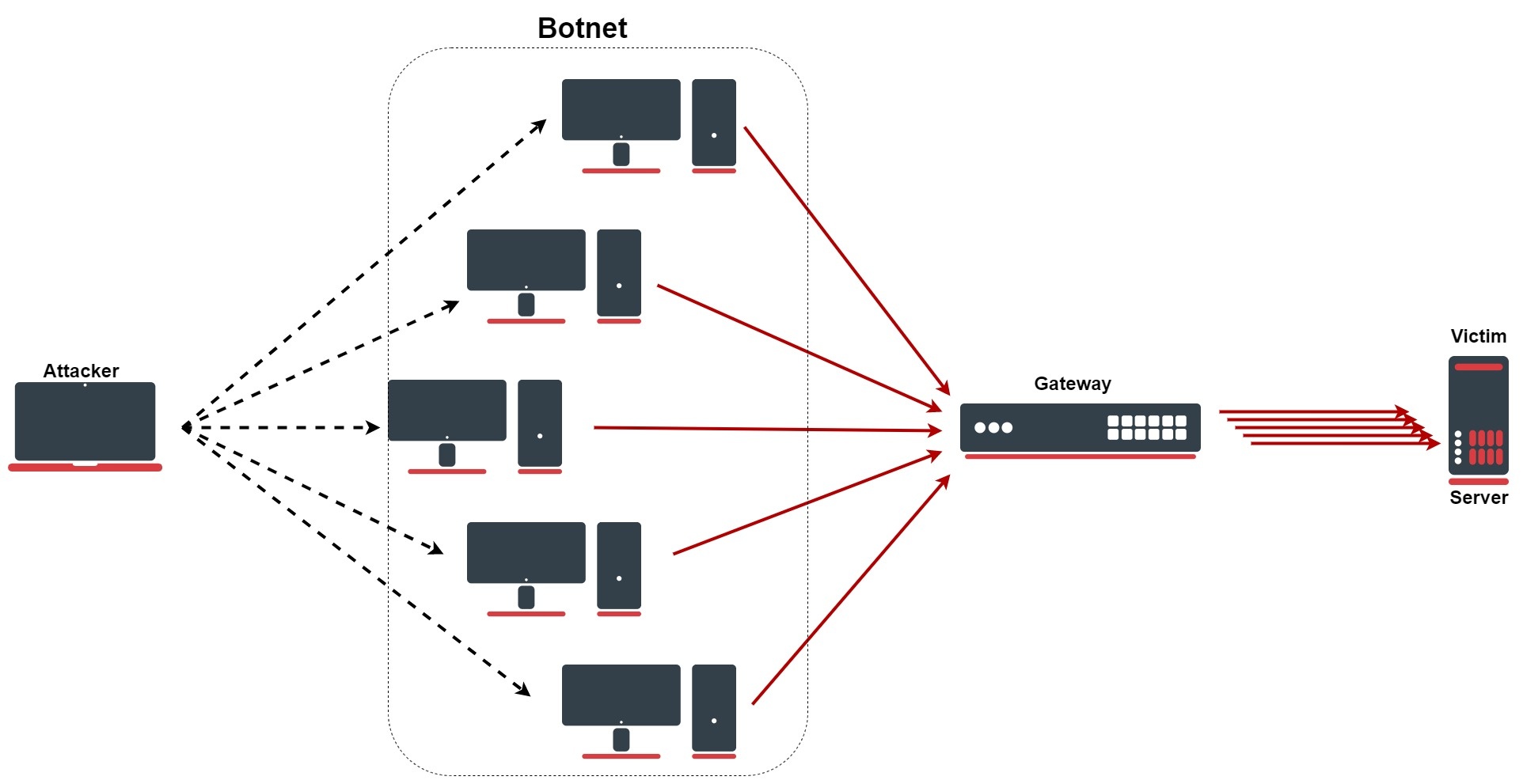
The firewall rules on this page count the new connections between each source and destination address. When a pair opens connections faster than the configured rate, both addresses go on address lists, and a rule in the raw table drops the traffic between them before connection tracking, so the flood costs the router as little as possible.
No rule on the router can help against an attack that fills the internet connection itself: the traffic has already used the bandwidth when it arrives. Such an attack has to be filtered upstream, by your ISP.
These rules add to a properly configured firewall; they do not replace it. See Securing your router for the basics.
Detect and drop connection floods
/ip/firewall/filter
add chain=forward action=jump jump-target=detect-ddos \
connection-state=new
add chain=detect-ddos action=return \
dst-limit=32,32,src-and-dst-addresses/10s
add chain=detect-ddos action=add-dst-to-- \
address-list=ddos-targets address-list-timeout=10m
add chain=detect-ddos action=add-src-to-- \
address-list=ddos-attackers address-list-timeout=10m
/ip/firewall/raw
add chain=prerouting action=drop \
src-address-list=ddos-attackers dst-address-list=ddos-targets
The address lists do not have to exist beforehand: RouterOS creates ddos-attackers and ddos-targets when the rules add the first entry.
On a router with the default configuration, you can append the jump rule to the end of the forward chain. Established connections are accepted earlier in the chain, so only new connections reach it: connections from the LAN, and connections from the internet that a destination NAT rule forwards to a host behind the router.
For such port-forwarded services, the raw rule does not match. The raw table handles packets before destination NAT, so it sees the router's public address as the destination, while ddos-targets holds the address of the host behind the router. To drop those floods as well, add a filter rule that drops the listed pairs after NAT, before the default fasttrack rule:
/ip/firewall/filter/add chain=forward action=drop \
    src-address-list=ddos-attackers dst-address-list=ddos-targets \
    comment="drop DDoS pairs after destination NAT" \
    place-before=[find comment="defconf: fasttrack"]
How the detection works
- The first rule sends every new connection that passes through the router to the
detect-ddoschain. - The
returnrule sends the connection back to the forward chain as long as the pair stays within the limit ofdst-limit=32,32,src-and-dst-addresses/10s. The format israte[/time],burst,mode[/expire]:32- The rate: 32 new connections per second (the time interval defaults to one second).32- The burst: a pair can open 32 connections without waiting; the allowance recharges at the rate, up to the burst.src-and-dst-addresses- Each source and destination address pair is counted separately.10s- A pair that sends nothing for 10 seconds is forgotten.
- When a pair exceeds the limit, the
returnrule no longer matches. The next two rules add the destination toddos-targetsand the source toddos-attackers, both for 10 minutes. - The raw rule drops all traffic from any listed attacker towards any listed target until the entries expire. For a port-forwarded target, the filter rule from the previous section drops it instead.
With these rules, one source that opens new connections to one destination as fast as it can gets slightly more than 32 connections through: the burst plus the connections the rate allows during the burst. The next connection puts both addresses on the lists, and from then on the raw rule drops all traffic between them.
Limits of the detection
-
The rate is counted per source and destination pair. An attack from many sources that each stay below 32 new connections per second is not detected.
-
A busy legitimate client, for example a proxy or the NAT gateway of an office, can exceed 32 new connections per second towards one server. Raise the rate, or accept connections from such addresses before the jump rule.
-
The rules watch forwarded traffic only (
chain=forward). To watch connections to the router itself as well, add the same jump rule to the input chain:/ip/firewall/filter/add chain=input action=jump \jump-target=detect-ddos connection-state=new
Check and unblock
List the detected pairs with the time left for each entry, and see how many packets the raw rule (and, for port-forwarded services, the filter rule) dropped:
/ip/firewall/address-list/print where ~"^ddos-"
/ip/firewall/raw/print stats
/ip/firewall/filter/print stats where comment~"DDoS pairs"
To release an address that was listed by mistake, remove its entries from both lists:
/ip/firewall/address-list/remove \
[find ~"^ddos-" address=198.51.100.7]
Protect against SYN floods
A SYN flood is a form of DoS attack in which an attacker sends a succession of SYN requests to a target's system in an attempt to consume enough server resources to make the system unresponsive to legitimate traffic. For the router's own TCP services, turn on TCP SYN cookies (the default is no):
/ip/settings/set tcp-syncookies=yes
RouterOS then sends SYN cookies when the SYN backlog queue of a socket overflows. A SYN cookie is a SYN-ACK packet that contains a small cryptographic hash, which the responding client echoes back in its ACK packet. If the router does not see this cookie in the reply packet, it treats the connection as bogus and drops it. SYN cookies prevent the use of TCP extensions, which can degrade some services, for example SMTP relaying.
SYN-ACK floods
A SYN-ACK flood is an attack method that involves sending a target server spoofed SYN-ACK packets at a high rate. The server requires significant resources to process such packets out-of-order (outside the usual SYN, SYN-ACK, ACK TCP three-way handshake). It can become so busy handling the attack traffic that it cannot handle legitimate traffic, and the attackers achieve a DoS/DDoS condition.
A SYN-ACK that belongs to no tracked connection has connection-state=invalid, also with loose-tcp-tracking=yes, the default. Such packets never reach the detect-ddos chain, which only sees new connections. The default configuration drops invalid packets in the input and forward chains; keep those rules to stop SYN-ACK floods.
Related topics
- SSH brute-force protection uses address lists in the same way to protect the router's own SSH service against password guessing.
- Port knocking keeps management ports closed until a client sends the right sequence of connection attempts.
- Connection tracking explains the connection states the rules match on.
For all rule properties, see /ip/firewall/filter, /ip/firewall/raw and /ip/settings in the CLI reference.